What happens after the letter is signed
Who sees it: Everyone. Approvals: a partner, a manager, or the client's Key Manager.
Where: The letter's page; the client's Engagements; Work › Command center
The moment a letter is signed, BiB on its own:
- marks it Signed and moves it to the Active tab. It can never change again;
- creates one engagement for each service on it (shown under Engagements on the letter and on the client's page), starting on Work begins, or on the signing day if that was empty;
- puts the client's filings on the compliance calendar;
- tells the person who sent it and the Key Manager: "… signed an engagement letter".
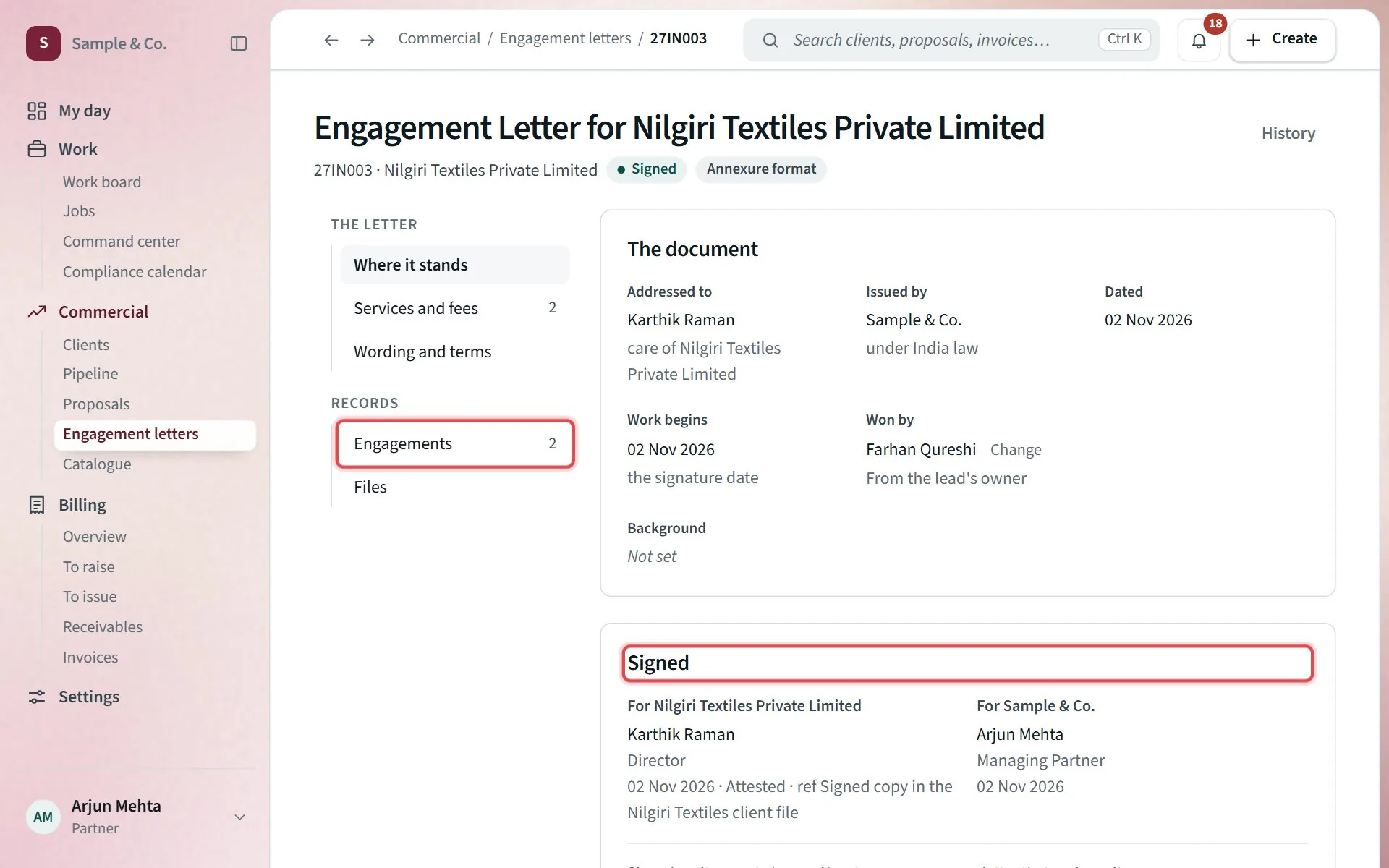 Nilgiri's letter, signed. Its services are now engagements.
Won by The letter's page also says who won the work, for the revenue report. BiB fills in the lead's owner, or else whoever prepared the proposal. A partner can click Change, even after the letter is signed.
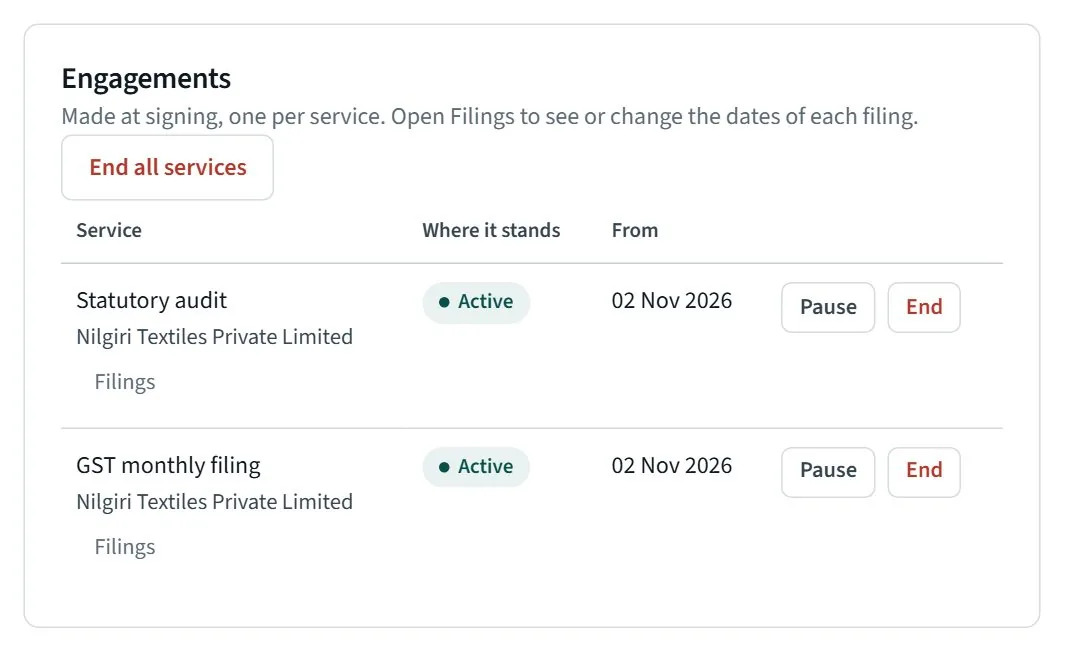 The engagements the letter created.
The engagements show Active at once, but nothing is billed and no tasks are made yet. Each new engagement waits in Work › Command center for a person to check it:
- Approve work: jobs and tasks start within the hour.
- Approve billing: bills start on the next billing run, and the advance invoice is drafted.
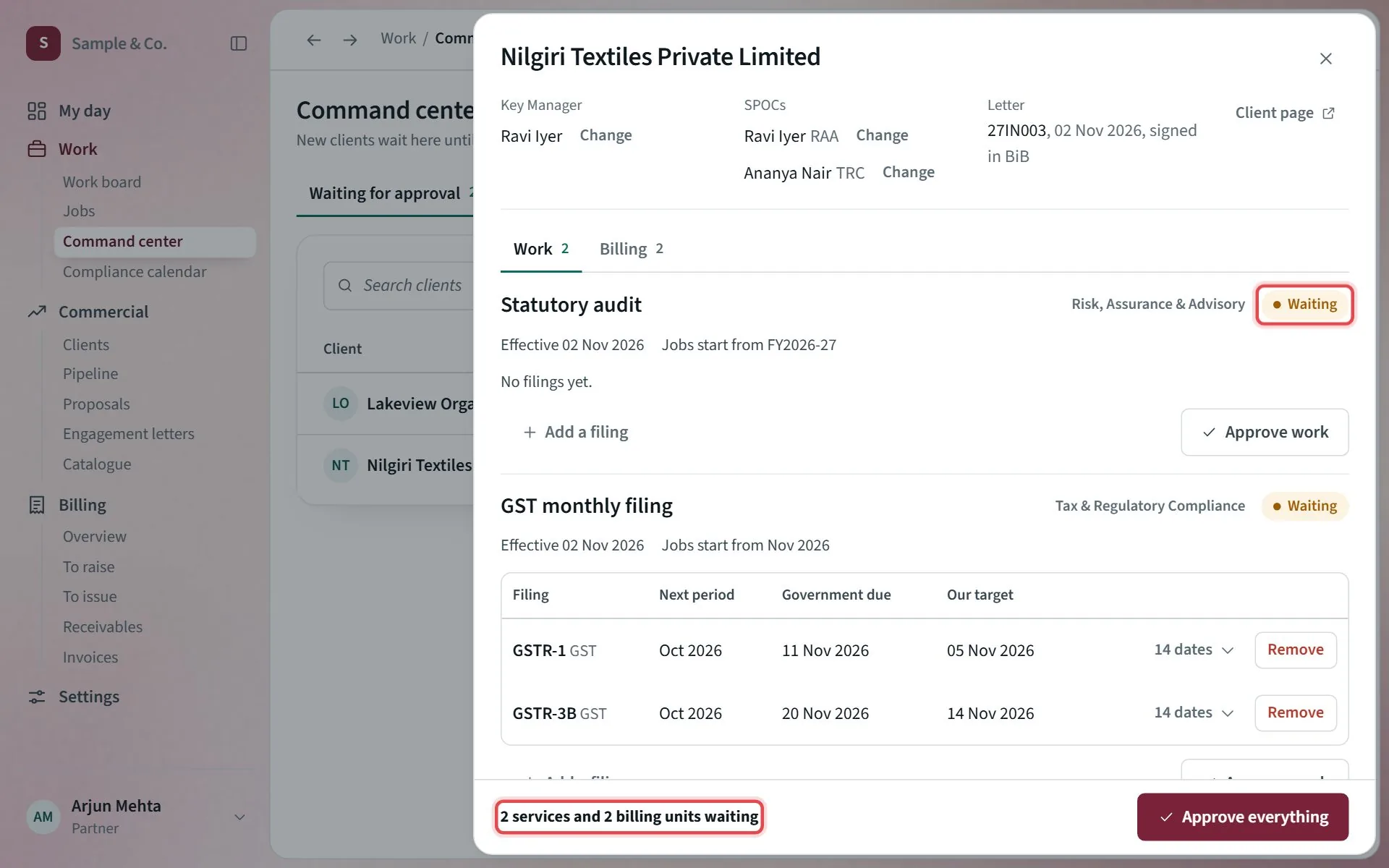 Nilgiri waits in the Command center for its work and billing to be approved.
For the steps, see "Approve a new client's work" and "Approve a new client's billing" in the chapter Doing the work.
Signed is not the same as started. Example: the letter is signed on Monday and nobody opens the Command center. On Friday there are still no tasks and no bills, though the filings already show on the calendar. After signing, tell your Key Manager or partner it is waiting.
Remember to set the lead to Converted in the Pipeline.