Capture a lead
Who can do it: Partner, manager or associate
Where: Commercial › Pipeline
A lead is a prospect you are talking to.
-
Click Capture a lead.
-
Type the Company, the Opportunity (what they want, for example "GST and TDS compliance") and choose the Source.
-
Add the Contact person, Their role, and at least one of Email, Phone or PAN.
-
Under Assign to, choose a colleague, The firm’s rule picks, or Leave unassigned.
-
Click Capture.
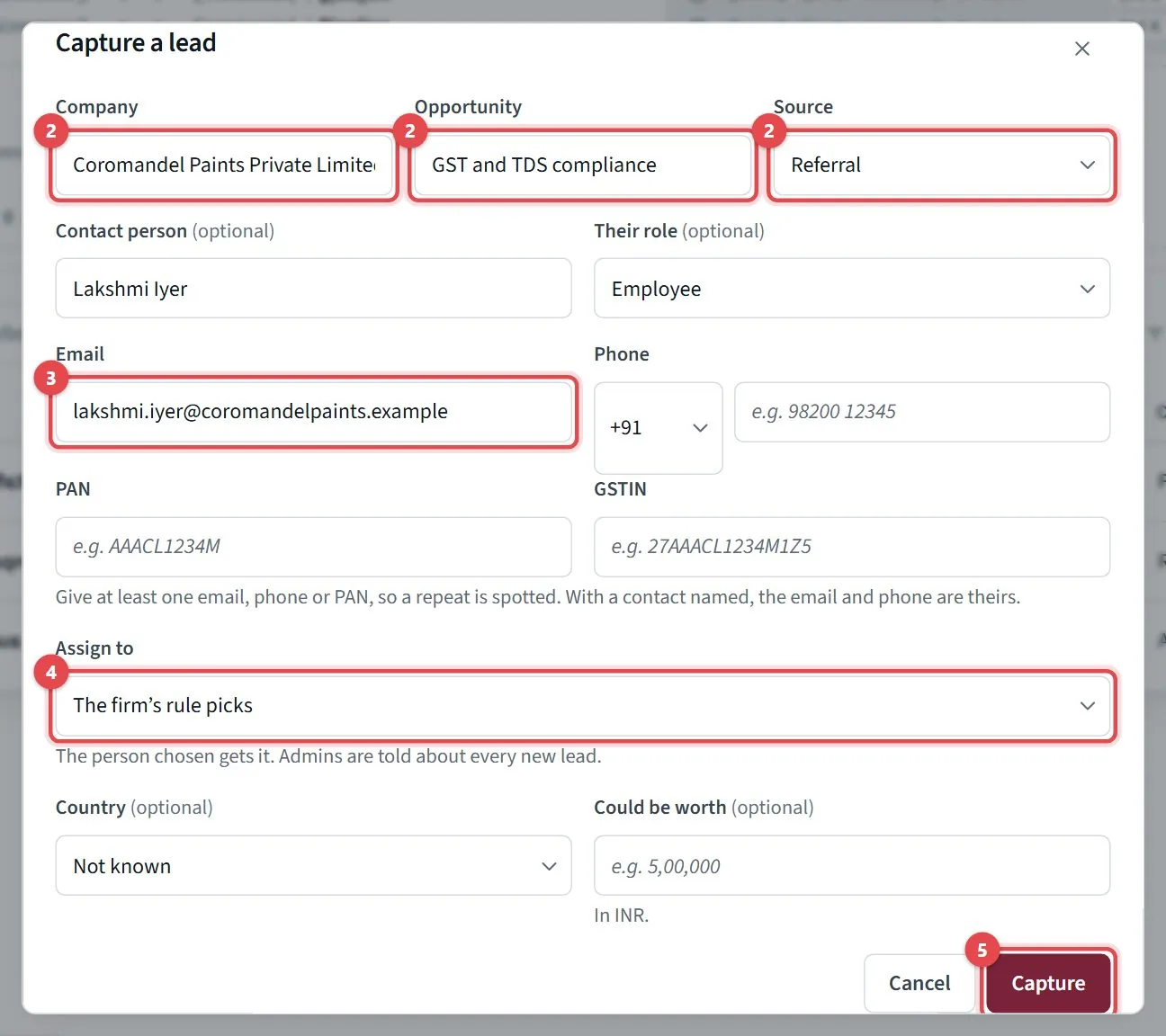 A new lead, filled in and ready to capture.
You see "Lead captured." The company also appears in Commercial › Clients , with no services yet. That is normal.
Give an email, phone or PAN so repeats are spotted. If the company is already in BiB, you see "They were already on record, so a new lead was opened for them." If it already has an open lead, you see "We already had an open lead for them, so this was added to it."