What the client sees, and how they answer
Who: The client. No login needed.
The client gets an email "Proposal … from …" with the PDF attached and two buttons, Accept proposal and Decline. Replies to the email come to the client's SPOC or Key Manager, or to whoever prepared it. Opening the proposal decides nothing.
- The client clicks a button and reads the proposal on its own page. At the bottom, under Your answer, they choose Accept or Decline.
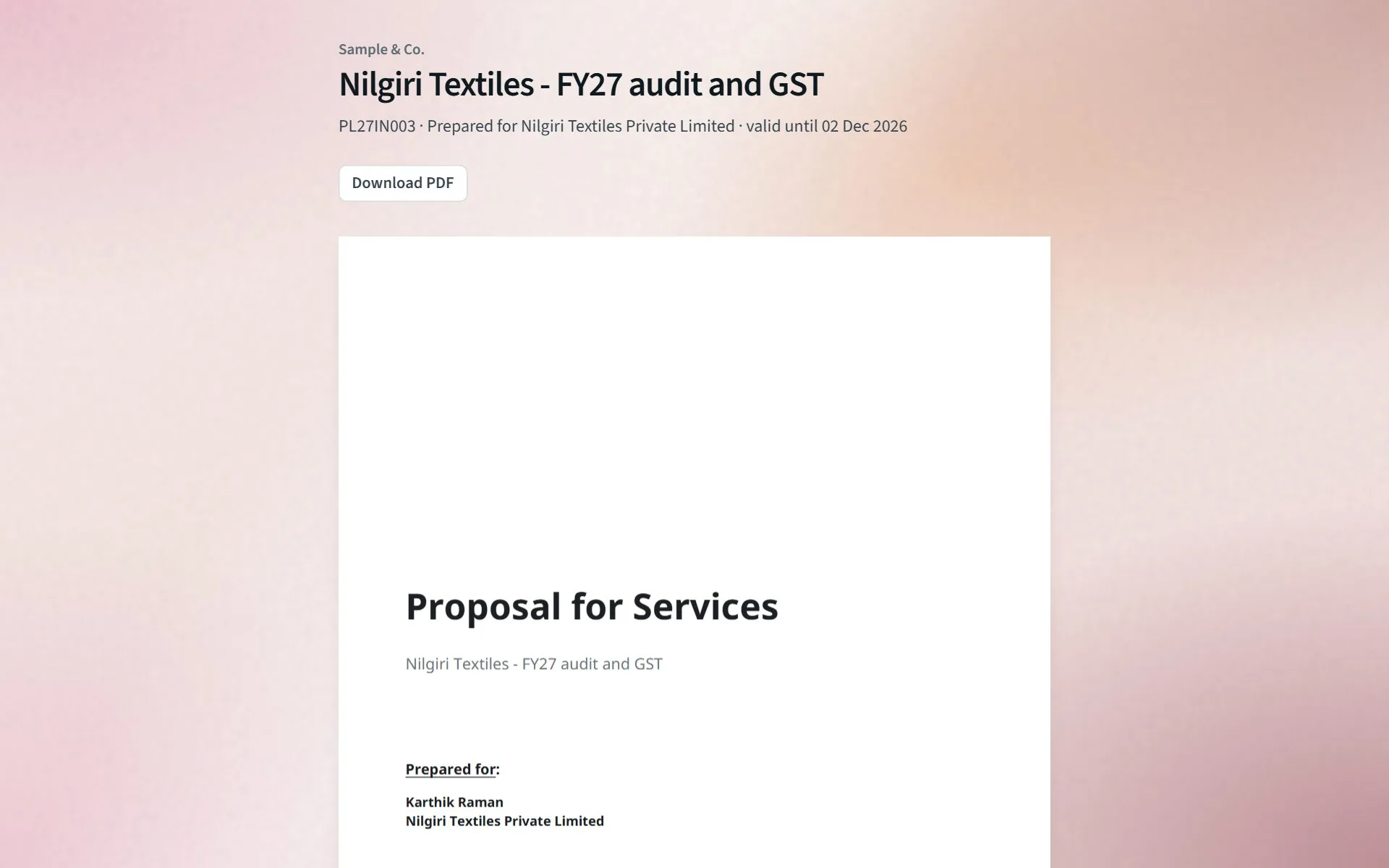 The client's page for the proposal: your firm's name, the quote, and Download PDF.
-
To accept, they type Your full name.
-
They tick "I accept proposal … on behalf of …".
-
They click Accept proposal.
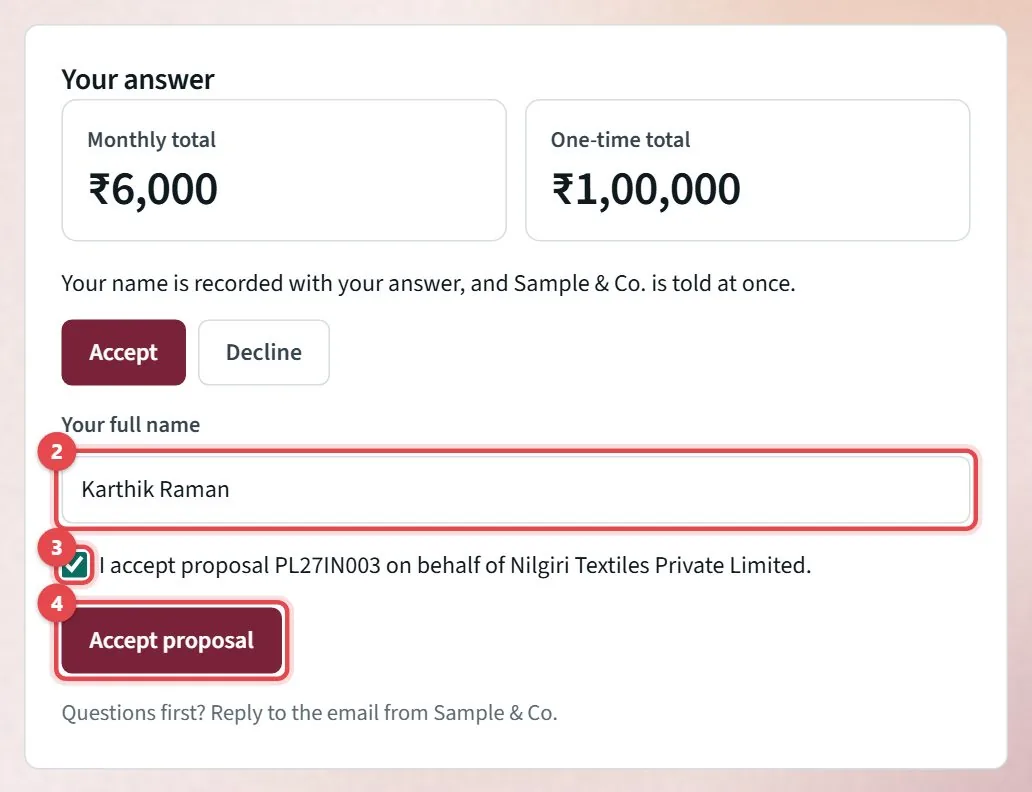 The client accepts.
To decline, they type their name, say Why not? if they like, and click Decline proposal. What you see: the person who prepared the proposal and the Key Manager get a notification ("… accepted a proposal") and an email. The proposal shows Accepted, with a card Accepted by the client recording the name they typed and when. The list shows whether each proposal was opened, and how often.
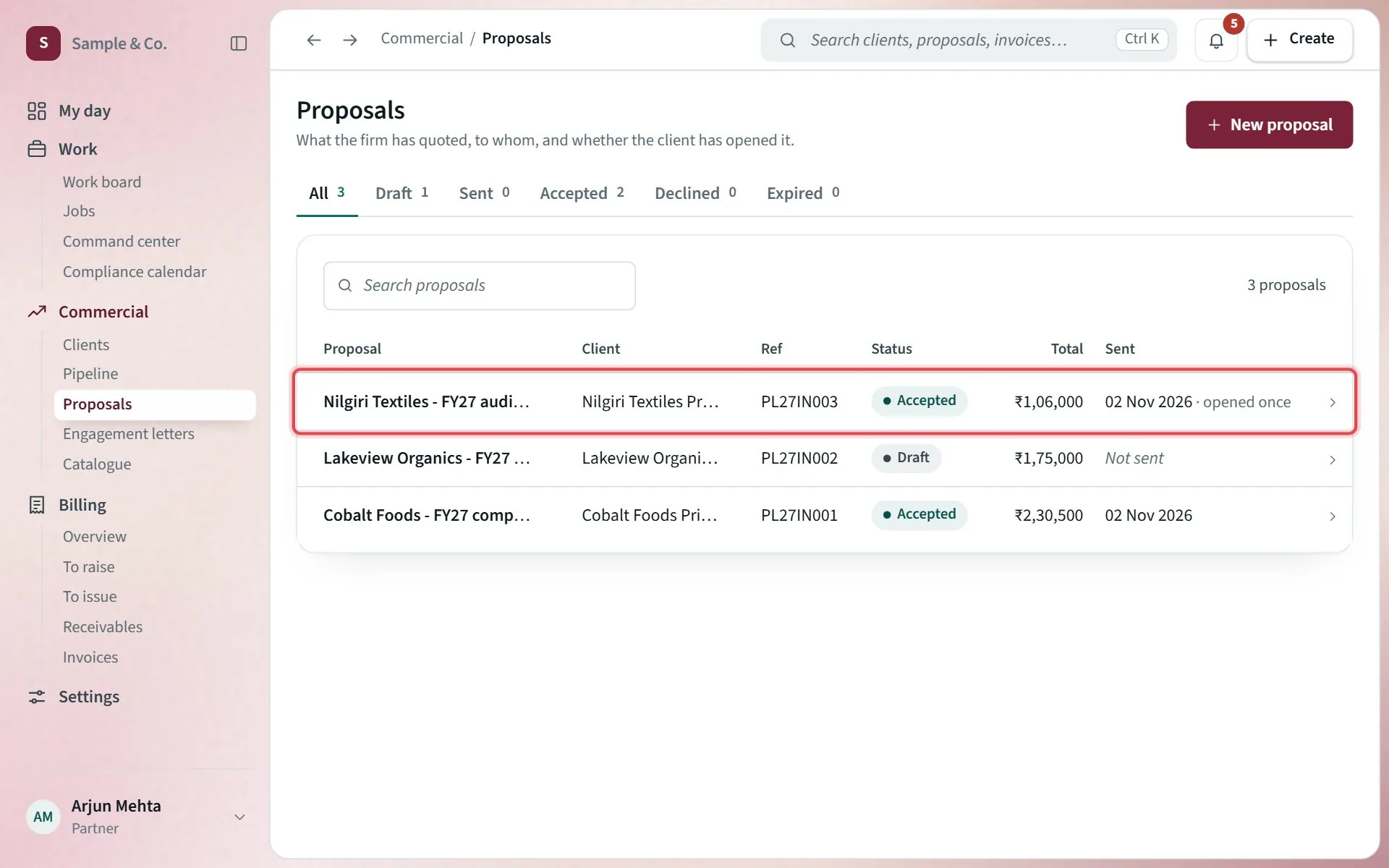 The Proposals list. Nilgiri's proposal is accepted.
| The client sees | What it means |
|---|---|
| "Type your full name. It is recorded with your answer, so the firm knows who gave it." | They left the name empty. |
| "Tick the box to confirm you accept this proposal on your company's behalf." | They did not tick the box. |
| "This link does not work" | An old link, after Send again, or the proposal was withdrawn. Send them a new one. |