Change a letter after sending, or withdraw it
Who can do it: Partner, manager or associate
Where: The letter's page (status Sent), at the foot of Where it stands
A draft can be changed any time with Edit in the builder, or deleted with Delete this draft. Once a letter is sent, it can only be withdrawn. A signed letter never changes.
-
Open the letter. At "The client will not sign? Withdraw the letter." click Withdraw.
-
Read the warning ("The client can no longer sign … It stays on file as withdrawn.") and click Withdraw it. If DocuSign has the letter, its envelope is cancelled too.
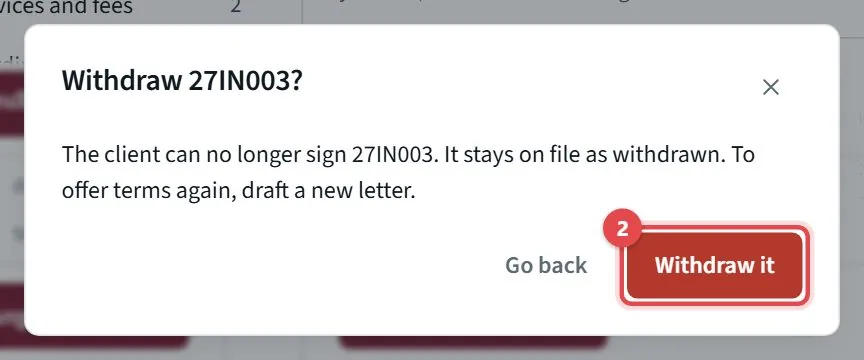 Withdrawing a sent letter.
- Click Copy as new draft, then Copy it. Change the copy and send it.
New terms for a signed letter: a new letter that replaces it. Example: Cobalt's fees rise from April. Start a new letter for Cobalt and choose the signed letter under Replaces. The old letter stays on file as what the client signed.
| You see | Do this |
|---|---|
| "this letter is sent, and only a draft can be changed…" | Withdraw it and copy it as a new draft. |
| "this letter is signed, and a signed letter never changes…" | Write a new letter that Replaces it. |
| "… already supersedes that letter." | Another letter already replaces it. Change that one instead. |