Send the letter with DocuSign
Who can do it: Partner, manager or associate
Where: The letter builder, step Preview and send. Or the letter's page, section Send it.
Before you start: The letter has at least one service, an opening paragraph and its terms.
This is how your firm sends letters. DocuSign emails the letter to the person who signs for the client.
-
Click Send with DocuSign.
-
Under Who signs for the client, type the signer's name. BiB fills in the person the letter is addressed to.
-
Check Their email. BiB fills it from that person's email, or the company's ("On record for …").
-
Read "The letter locks once it goes: nothing on it can change after." Click Send with DocuSign.
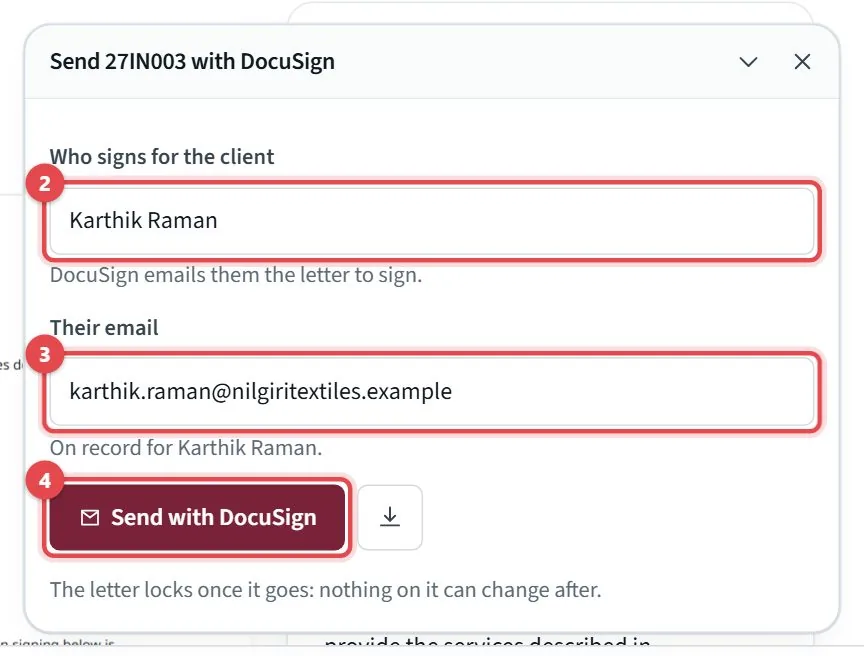 Sending Nilgiri's letter to Karthik Raman through DocuSign.
On the letter's own page the same form reads Who signs for the client, Their email address and Send for signature; confirm with Send it.
What happens next: the letter moves to the Sent tab and its page says it is out for signature, with whom and since when.
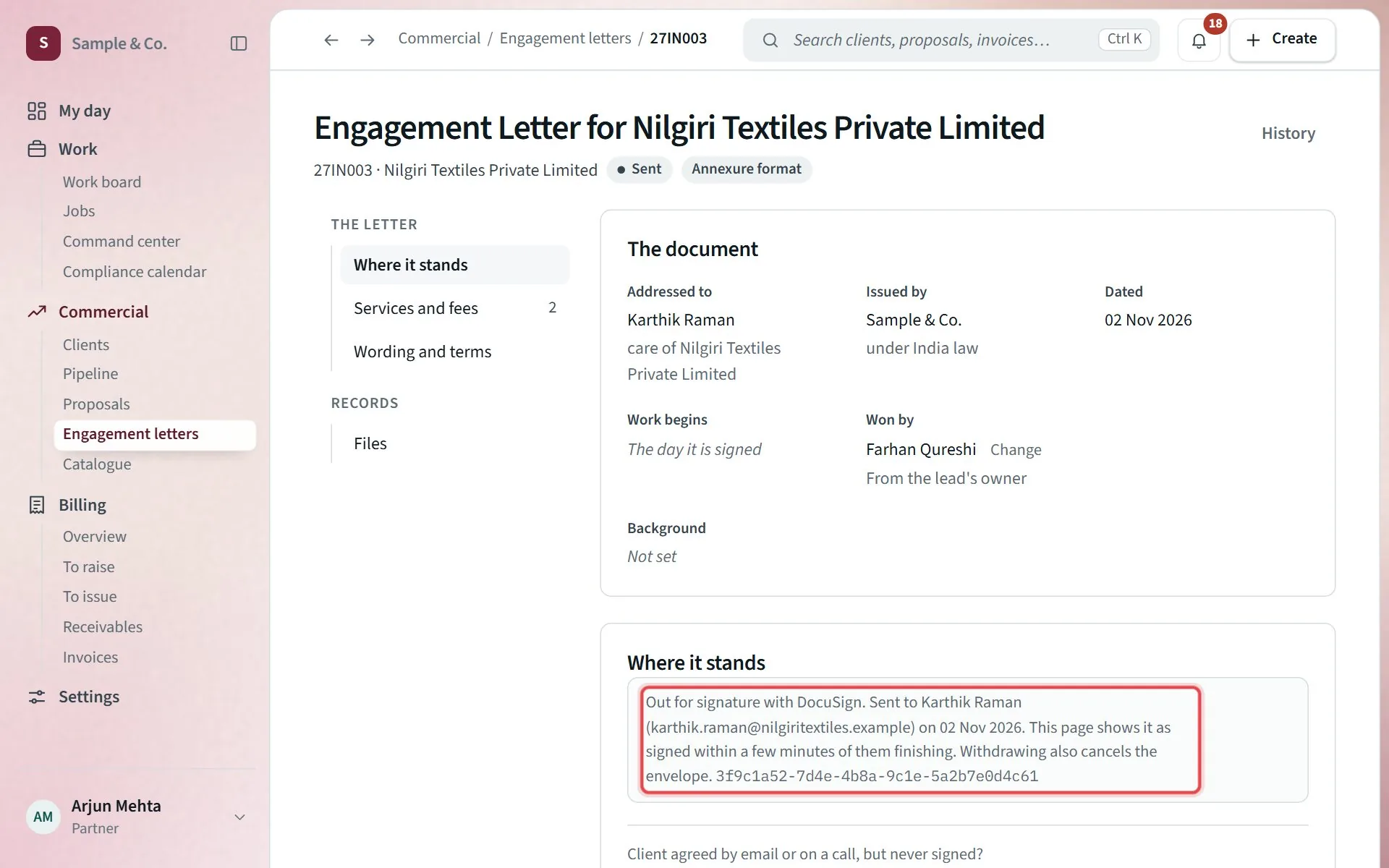 Out for signature: BiB shows who has it and since when.
Once sent, the letter cannot change. Example: you spot a wrong fee after sending. Withdraw the letter and send a new one (see "Change a letter after sending, or withdraw it").
| You see | Do this |
|---|---|
| "Sent, but DocuSign has not emailed it yet. Try again from the letter page." | Open the letter's page and click Try again. |
| "DocuSign has not sent this letter to … yet. DocuSign said: …" | Read DocuSign's reason (often a wrong email), then click Try again. If the email is wrong, withdraw and send a new letter. |
| "An engagement letter with no lines commits the firm to nothing…" | Add a service first. |