Approve a new client's work
Who can do it: A partner or manager, or the client's Key Manager
Where: Work › Command center
Before you start: The client's engagement letter is signed.
Every new service waits here. Until someone approves its work, BiB makes no jobs, no tasks, no reminders to the client and no escalations for it.
-
Open Work › Command center . The Waiting for approval tab (1) lists every client with something to approve.
-
Click the client's name (2). The client opens on the right, on the Work tab.
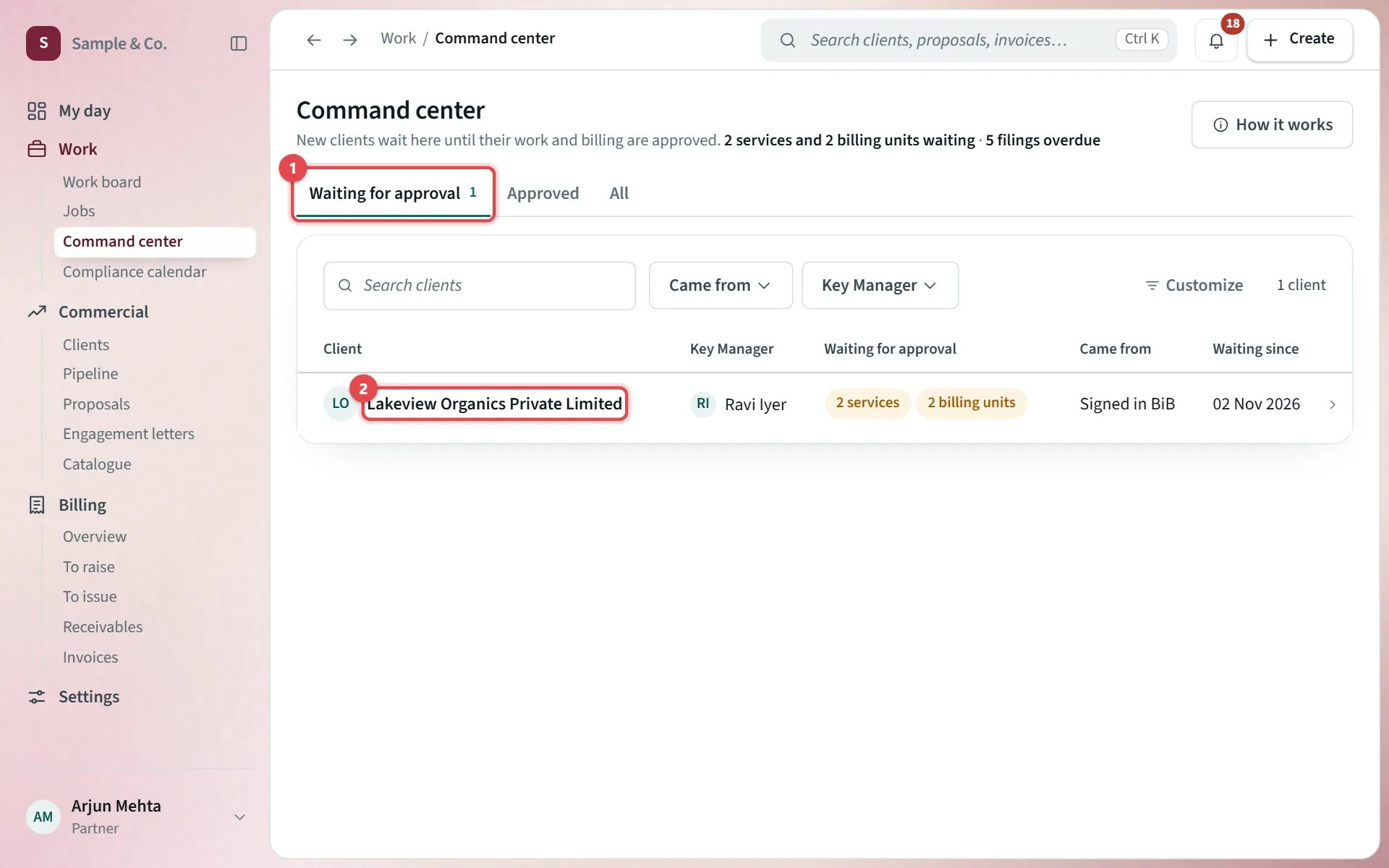 Lakeview Organics is waiting: 2 services and 2 billing units.
-
For each service, read Jobs start from (3): the first month BiB will make a job for.
-
Check the filings under it (4). Government due is the filing's Legal deadline. Our target is its Start by day, when the filing's task appears.
-
Click Approve work (5) on the service.
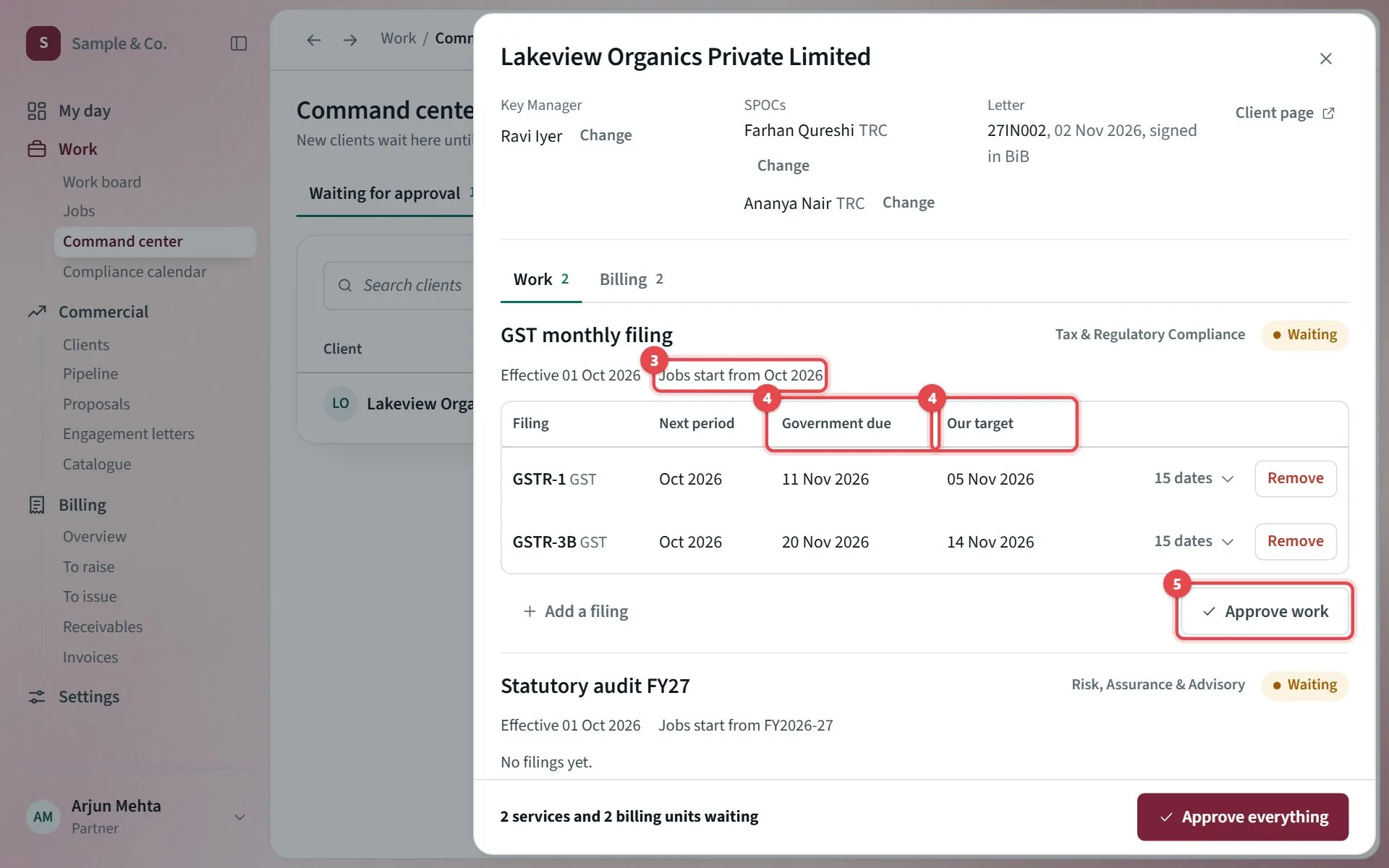 A service waiting for approval, with its filings and the Approve work button.
BiB says "Its jobs and tasks appear within the hour." The service now shows Approved. Its job appears on Jobs and its task on the Work board after BiB's next hourly run. Filing tasks appear on their Our target days.
Government due and Our target are two different days. Example: GSTR-3B for October shows Government due 20 Nov 2026 and Our target 14 Nov 2026. The task appears on 14 Nov and is late after 20 Nov. On the compliance calendar the same two days are called Legal deadline and Start by.
Approving cannot be undone here. To stop a service later, use Pause or End on the client's page, under its engagements. A new or changed letter waits here again.
| You see | Do this |
|---|---|
| No Approve work button | Your role cannot approve it. Ask a partner, a manager or the client's Key Manager. |
| "Its work is already approved, perhaps by somebody else a moment ago. Reload the page to see who approved it." | Reload the page. Nothing more to do. |
| "This service has ended, so nothing on it can be approved or changed." | The service was ended. Nothing to approve. |
| "No filings yet." under a service | That service has no filings (an audit, for example). Approve it anyway, or click Add a filing. |