Take away a colleague's access
Who can do it: Partner
Where: Settings › The firm › People , the colleague's row
Before you start: Note their open work. It stays with them until you move it.
-
Click More (1) on their row.
-
Click Revoke access (2).
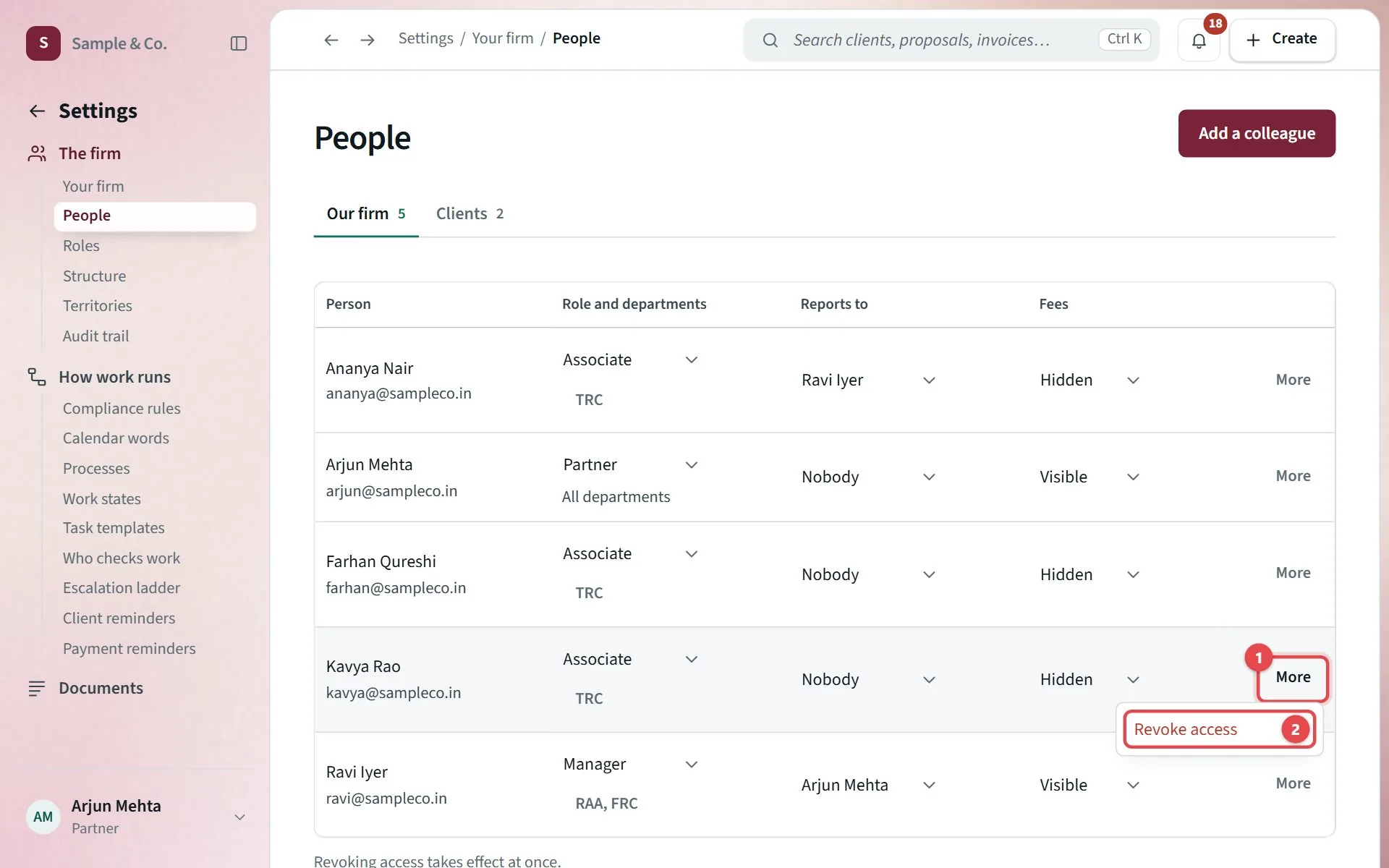 The More menu on Kavya Rao's row.
- Read the warning and click Revoke access (3). To stop, click Go back.
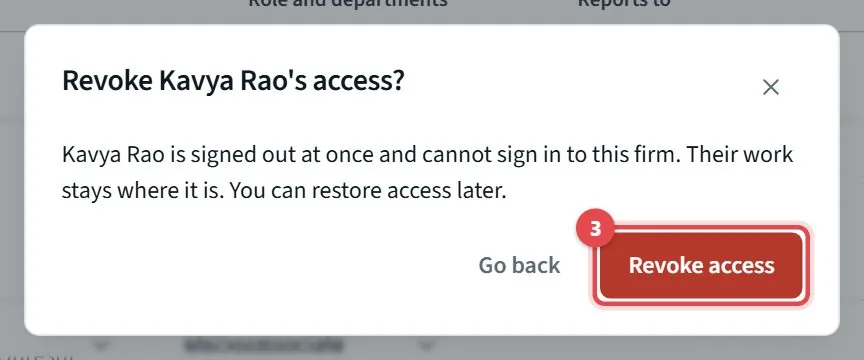 Revoke access asks first.
They are signed out at once and their row shows Revoked. To undo it, click More › Restore access.
 Kavya Rao, revoked.
Good to know
Their work does not move on its own. Reassign their tasks on the Work board.