Add a colleague
Who can do it: Partner
Where: Settings › The firm › People
Before you start: Your Depts exist (Structure). The role you want is published (Roles).
- Click Add a colleague (1).
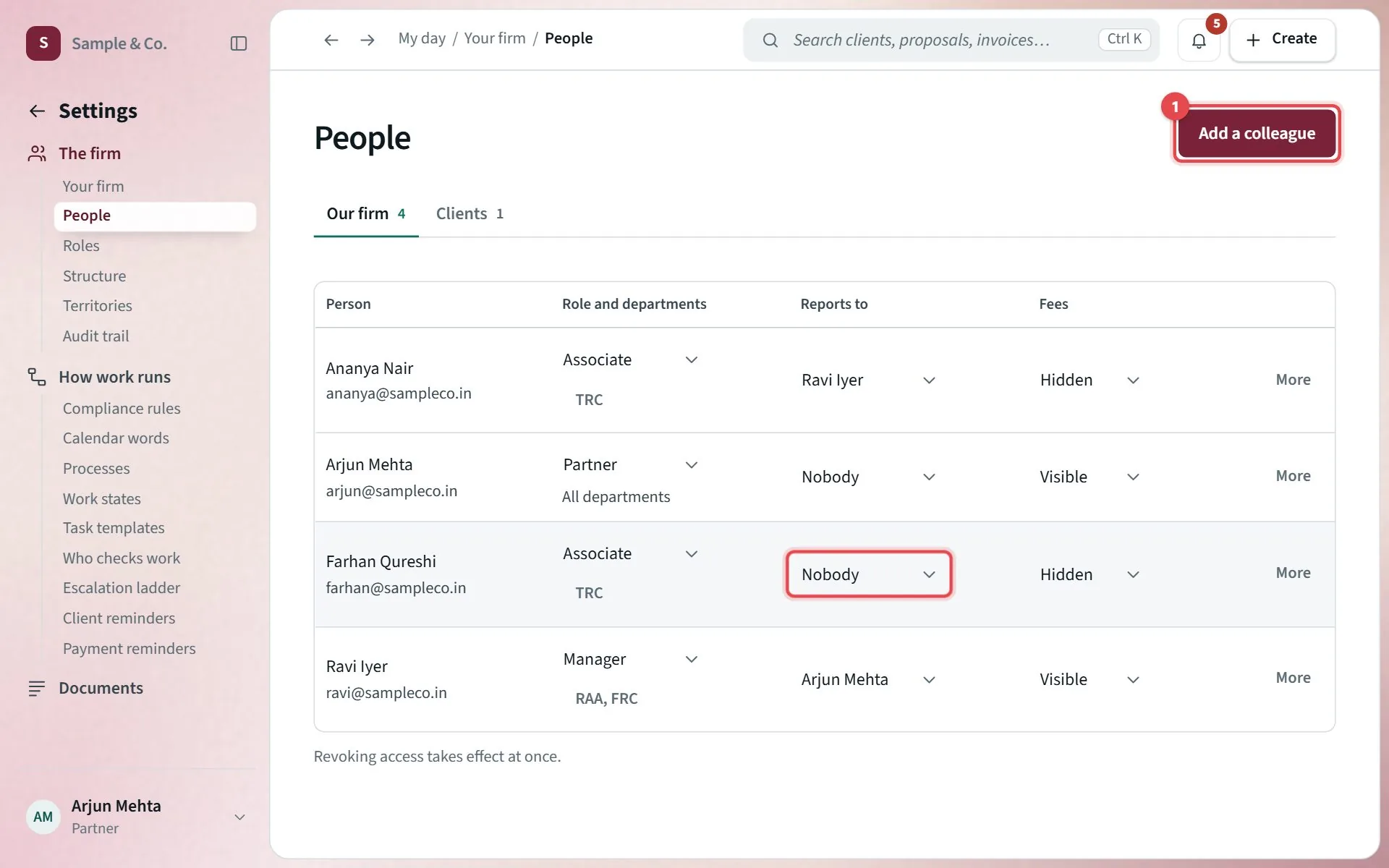 People: everyone's role, Depts, manager and fees on one page.
-
Type their Email and Name (2). Name is optional, but Setup asks for one.
-
Pick their Role (3).
-
Under Departments, tick the Depts they work in (4). For somebody who works across all of them, tick
All departments. A partner needs none.
-
Tick Can see fees (5) only if they should see prices and money.
-
Click Add (6).
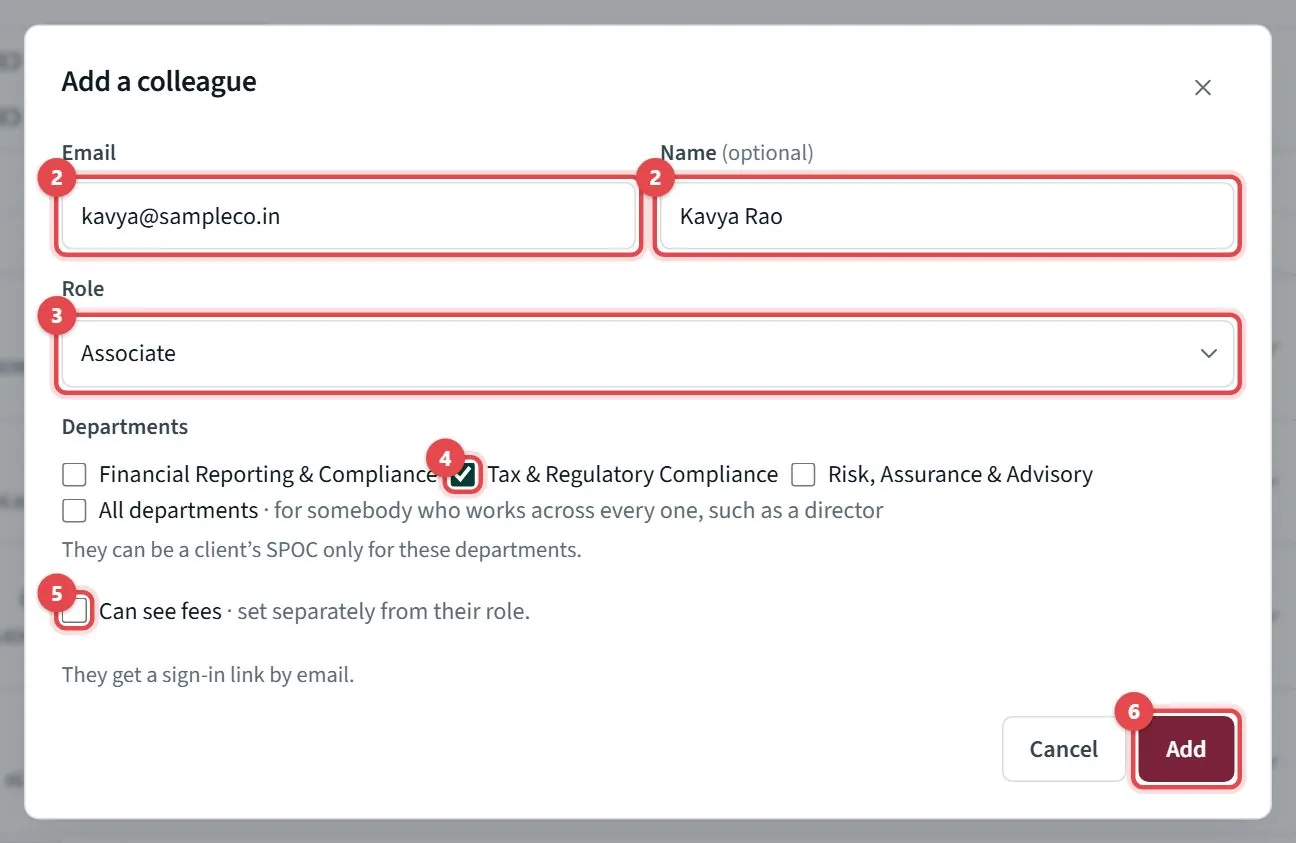 Adding Kavya Rao as an associate in Tax & Regulatory Compliance.
BiB emails them a welcome link: "… has been emailed a sign-in link. It works once, for 72 hours."
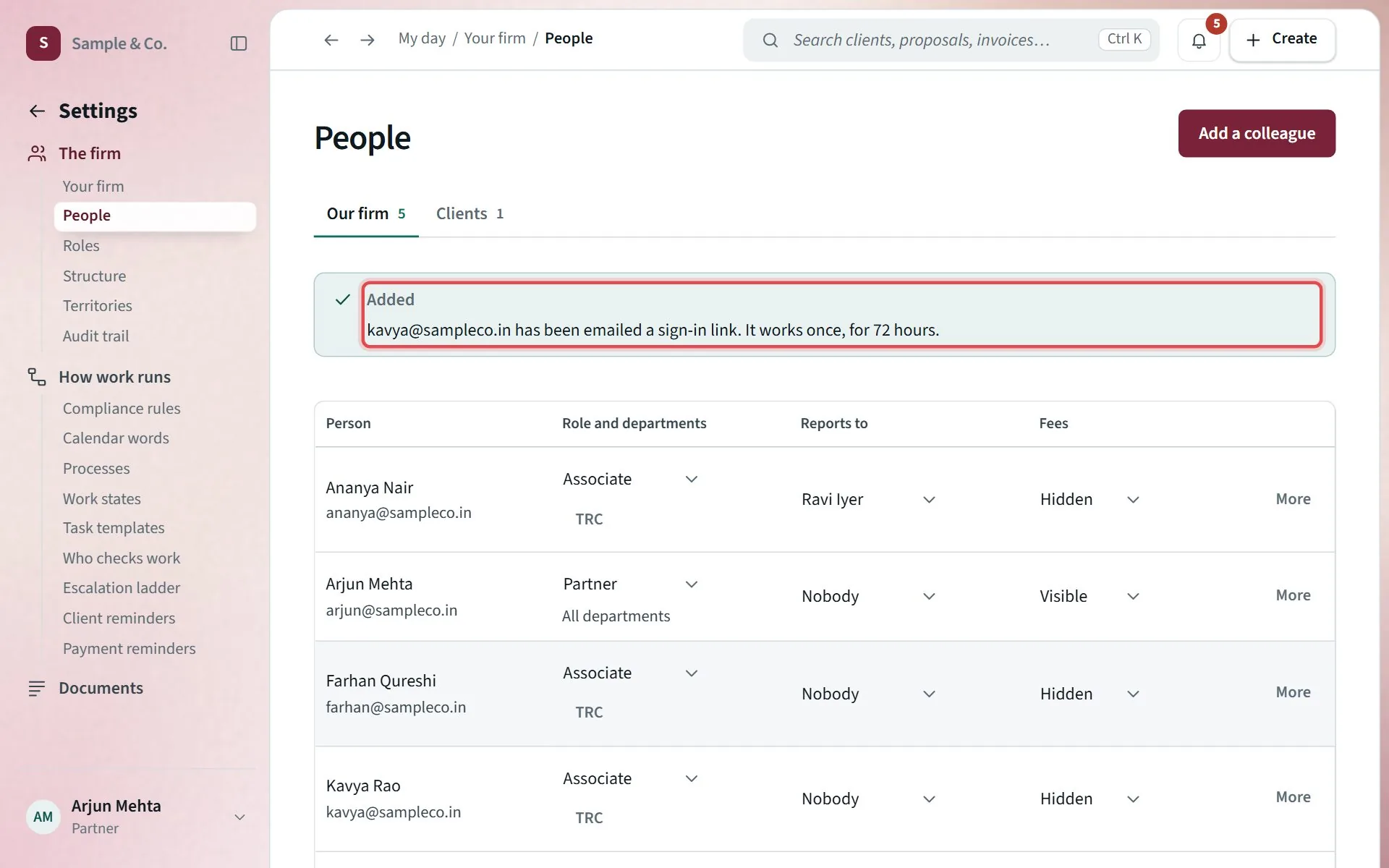 Added.
Fees do not come with the role. A new manager does not see fees unless you tick Can see fees, now or later under Fees.
Departments limit who can be a client's SPOC. "They can be a client's SPOC only for these departments." Ananya works in TRC, so she cannot be a client's SPOC for FRC.
| You see | Do this |
|---|---|
| "Added, but no email sent" | They have access. Ask them to click Email me a sign-in link instead on the sign-in page. |
| "… already has STAFF access to this firm. …" | They are already on People. Change their role there, or Restore access if it was revoked. |
| "Choose the departments this person works in, or tick All departments. A partner needs none." | Tick at least one Dept. |