Add your Depts and delivery teams
Who can do it: Partner
Where: Settings › The firm › Structure
A Dept is a practice area (FRC, TRC, RAA). A SPOC looks after one Dept for a client. A Delivery team is who does the work (Payroll, vCFO Console). The two are separate lists, not one inside the other.
-
Under Depts, click Add one (1).
-
Type a Code (for example TRC), a Name (Tax & Regulatory Compliance) and an Order.
-
Click Add (3). The form stays open for the next one.
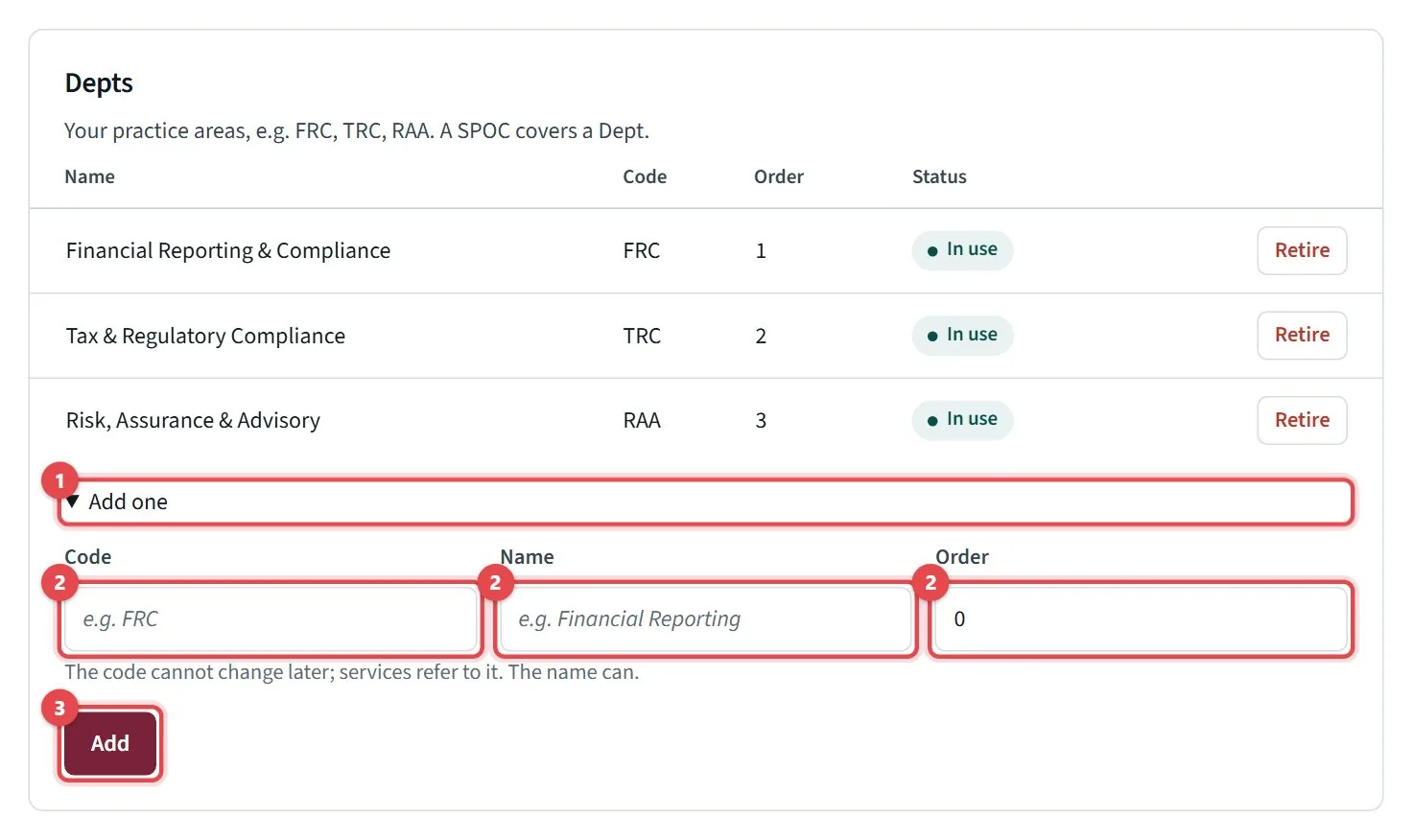 Adding a Dept: Add one (1), the fields (2) and Add (3).
- Do the same under Delivery teams.
To rename one, click its name, type, and press Enter. To stop using one, click Retire.
Watch out
A code cannot change later. "The code cannot change later; services refer to it. The name can."