Change a colleague's role, Depts, manager or fees
Who can do it: Partner
Where: Settings › The firm › People , the colleague's row
Each change saves the moment you make it.
-
Role: pick a new one in the role box on their row.
-
Departments: click the Depts under their role (or the pill Department not set). Tick, then
click Save (2).
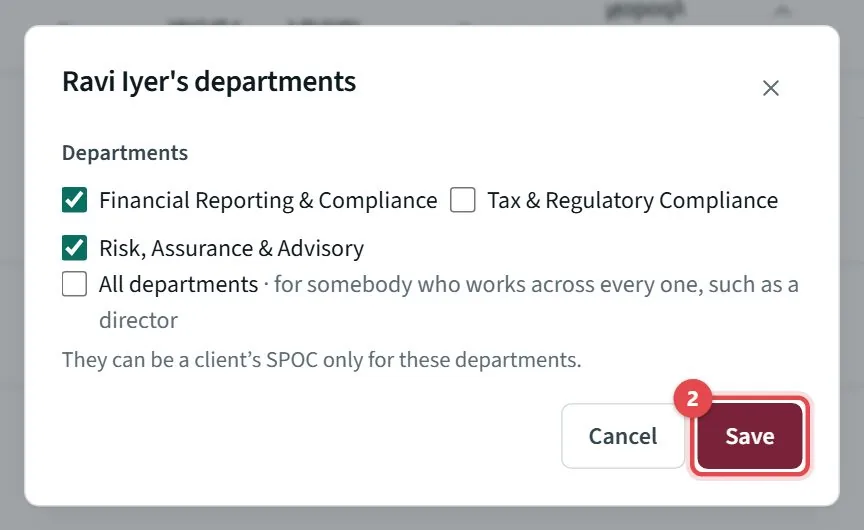 Changing Ravi Iyer's departments.
-
Reports to: pick their manager, or Nobody.
-
Fees: pick Visible or Hidden.
BiB confirms each change, for example "Saved. Ravi Iyer's reporting line is changed."
Everyone needs a manager under Reports to. Escalated work goes to the person's manager. Farhan Qureshi reports to Nobody, so work escalated "to his manager" reaches no one, and Setup keeps "Who reports to whom" To do.
Changing someone's role does not change their fees. BiB says so: "Fees are still hidden for them; change that under Fees."
| You see | Do this |
|---|---|
| "This would leave the firm with nobody who can administer it: … Give somebody else an administrator role first." | Make another person a partner first. |
| "This would make the reporting line a loop: …" | Two people cannot report to each other. Pick someone else. |