Complete your company's details
Who can do it: Partner
Where: Settings › The firm › Your firm › Companies
Before you start: Have your registered address, PIN code, PAN and CIN to hand.
Your company is the name and address printed on every proposal, letter and invoice.
-
Open Companies.
-
On your company's row, click Change. A brand-new firm shows Complete this company instead.
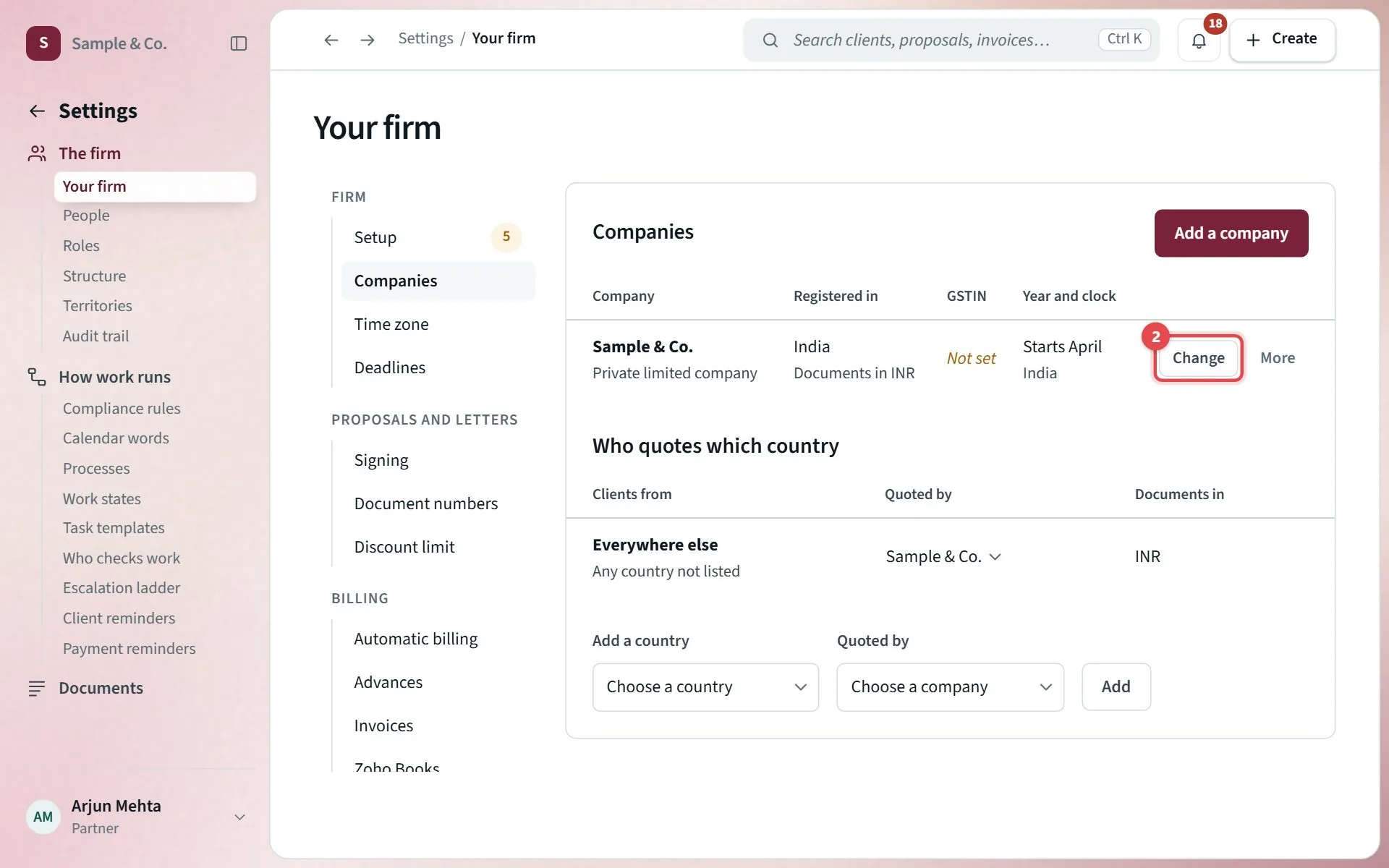 Your companies. Click Change on your company's row (2).
-
Fill in Registered address (one line per row, as it should print), State and PIN code.
Add PAN, Phone, Email, Company ID (CIN) and Udyam number if you have them.
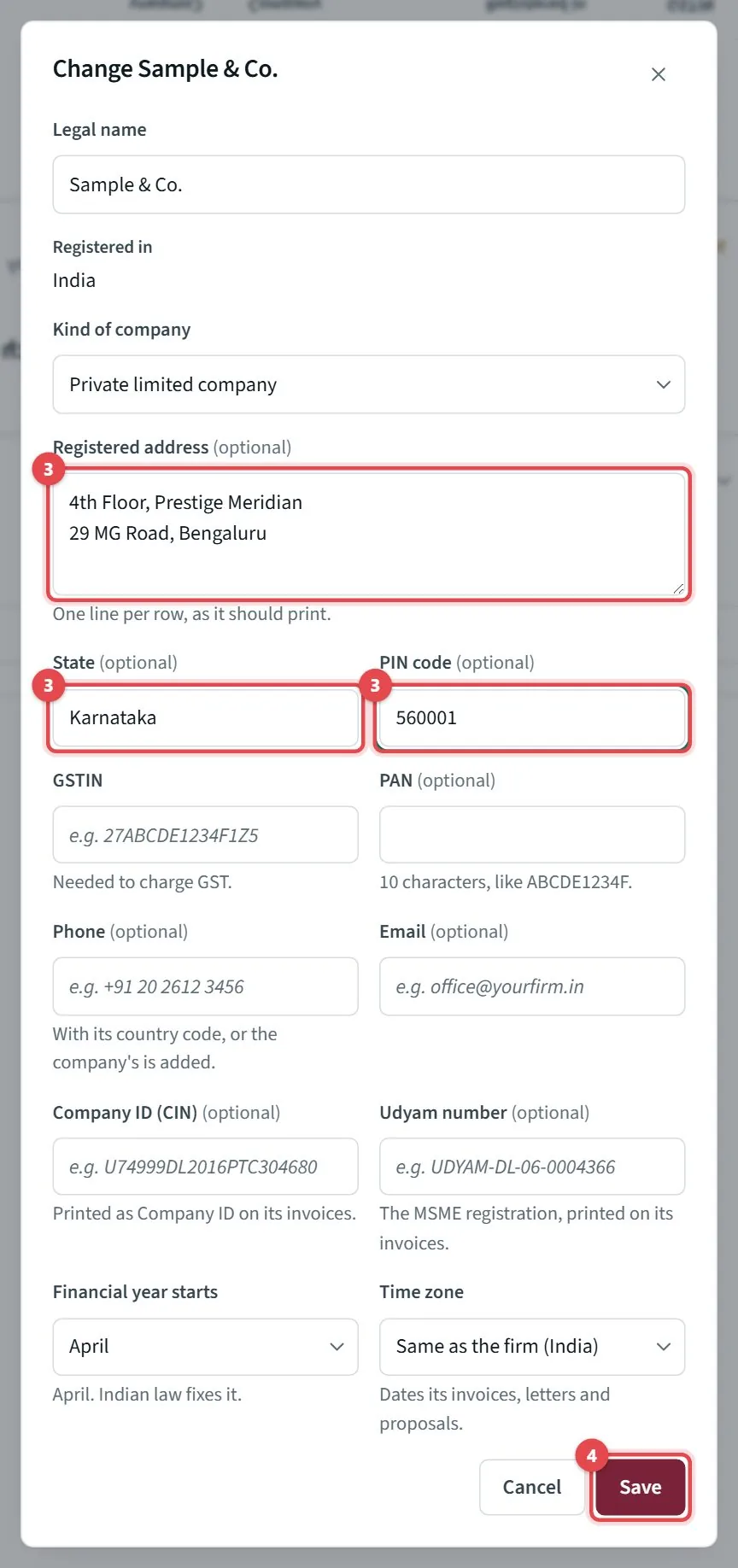 The company form. Fill in the address (3) and click Save (4).
- Click Save. BiB says "Sample & Co. is saved."
The Setup line "Your companies' country and address" turns Done.
The country is set once. Registered in says "Set once. It cannot be changed later." Once saved, it shows as a plain fact, not a field. A company registered in another country is added as a new company with Add a company.
GSTIN, bank account and tax rates are for billing. They are covered in the chapter Billing setup, with Not registered for GST.
If you have a company in another country
Click Add a company, fill in its details and click Add the company. Then check the table Who quotes which country: for each country your clients come from, Quoted by names the company that issues their proposals, letters and invoices. The row Everywhere else covers every country not listed.
-
Under Add a country, pick the country.
-
In Quoted by, pick the company, and click Add.
A change saves at once and applies to new clients and new documents only.
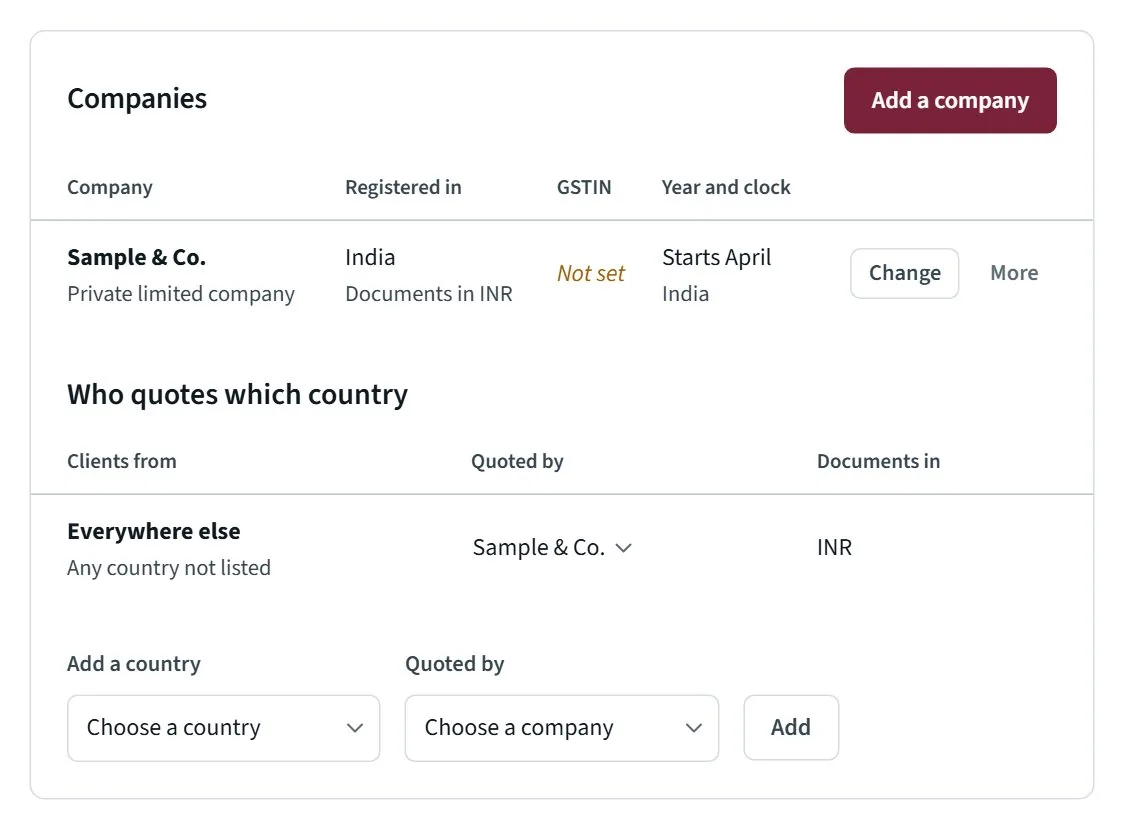 Who quotes which country. With one company, it quotes everyone.
| You see | Do this |
|---|---|
| "Nothing has changed yet." | You clicked Save without changing anything. Change a field, or click Cancel. |
| "… already quotes clients from …. To change that, pick another company for … in the country table." | Each country has one company. Change Quoted by in the table instead. |