Check that finished work was billed
Who can do it: Everyone; amounts only for people who can see fees
Where: Billing › Overview , tab Work vs Billing
Work vs Billing puts each client's work beside its bills, so nothing done goes unbilled.
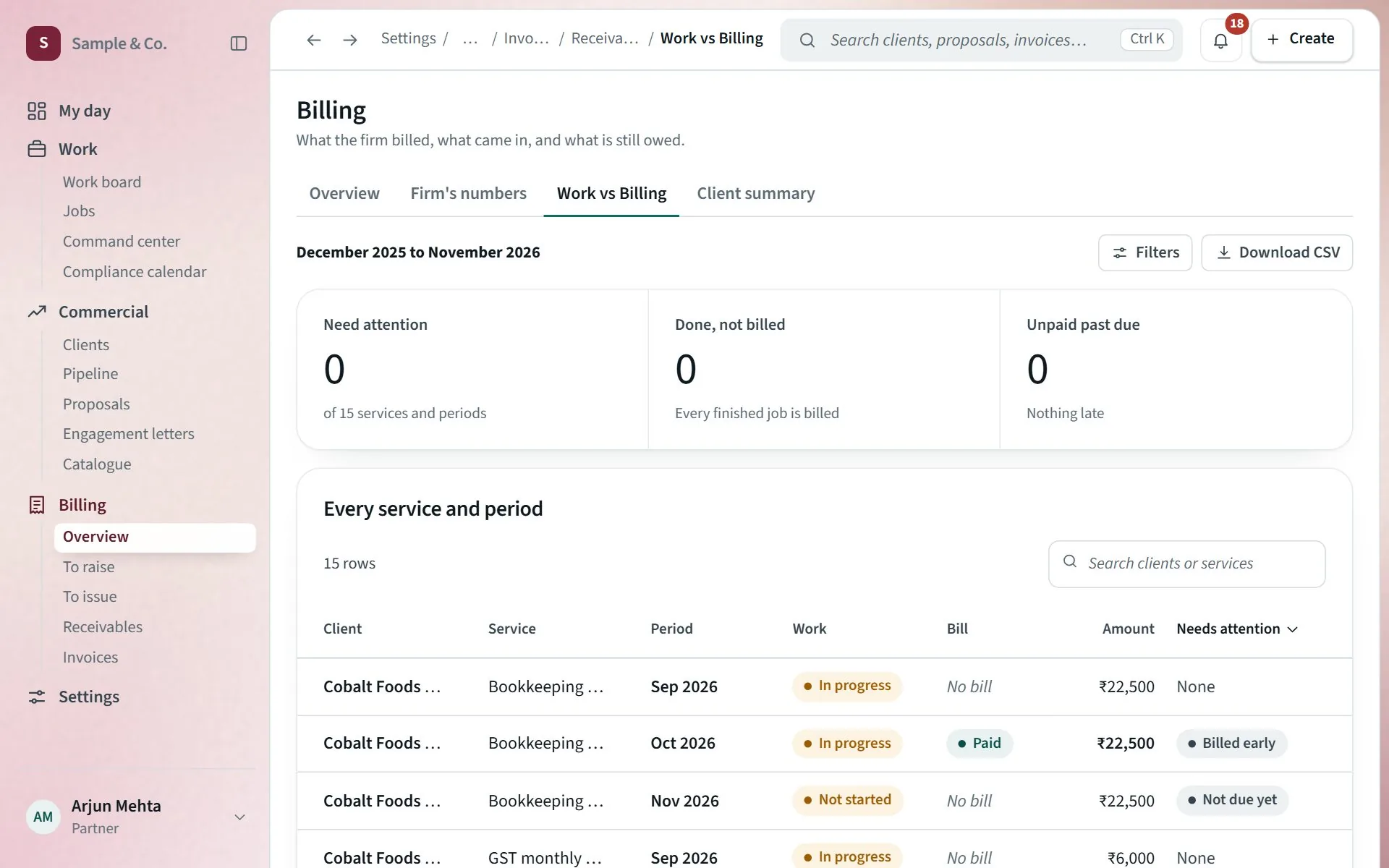 Work vs Billing.
-
Read the three counts at the top: Need attention, Done, not billed and Unpaid past due. Zero in all three means nothing is slipping.
-
Click Filters to choose a Client, Manager, From and To, or tick Only problems to see just the rows that need someone.
-
In Every service and period, read the Needs attention column. A red pill, such as Not billed or Overdue, needs someone. A grey one, such as Billed early or Not due yet, is only worth knowing.
-
Click the pill to read the full reason, for example "Work done, no bill: billing is not set up for this service.", and follow its link to fix it.
Click Download CSV for a spreadsheet of the rows.