Decide about Zoho Books
Who can do it: Partner, after the BiB team has connected Zoho Books
Where: Settings › The firm › Your firm , then Zoho Books under Billing
If your firm keeps its accounts in Zoho Books, BiB can send each invoice there. Your finance team approves it in Zoho, Zoho gives it its number and its e-invoice IRN, and BiB reads the result back. Payments are then recorded in Zoho, and BiB picks them up on its own.
You cannot connect Zoho Books yourself. Until the BiB team connects it for your firm, the card says "Zoho Books is not connected for this firm. Ask the person who runs your BiB set-up to connect it."
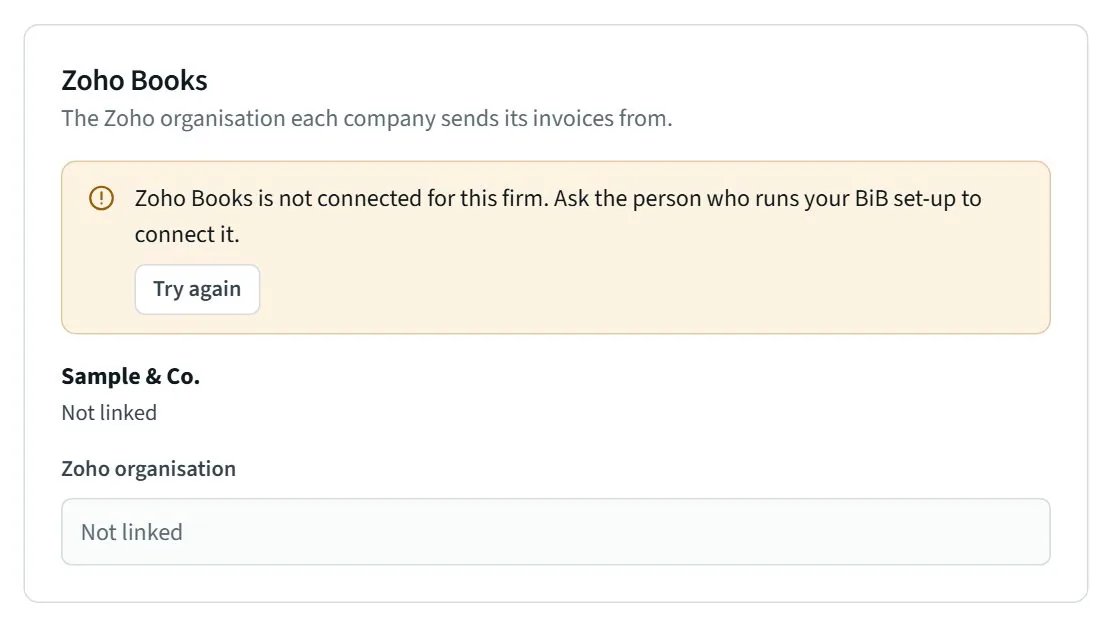 Zoho Books before it is connected.
What to have ready for the BiB team:
- A Zoho Books organisation with invoice approval turned on. Your GST taxes and your TDS taxes set up in Zoho.
- Your clients as contacts in Zoho, or permission for BiB to create them.
Once it is connected:
-
For each company, choose its Zoho organisation, set E-invoicing, and click Link to the organisation.
-
Under TDS in Zoho, match each TDS rate to the Zoho tax.
-
On each client, under Billing › Address and TDS, link the client to its Zoho contact (Link this contact), or click Create in Zoho.
A Zoho-linked company does not issue from BiB. Its drafts show Send for approval instead of Issue, and money is recorded in Zoho, not with Record payment.