Read My day
Who can do it: Everyone
Where: My day , the first item in the sidebar
My day is your home page. It opens each time you sign in. Click My day in the sidebar to come back to it.
-
Read the tiles at the top (1): your clients, your jobs in hand, client requests waiting for you and what was billed this month.
-
Read Your work. Pick a tab (2): Overdue, Today, This week (the next seven days) or Later. Click a line to open it.
-
Read Start here (3). It is the one thing to do first. Click Open it.
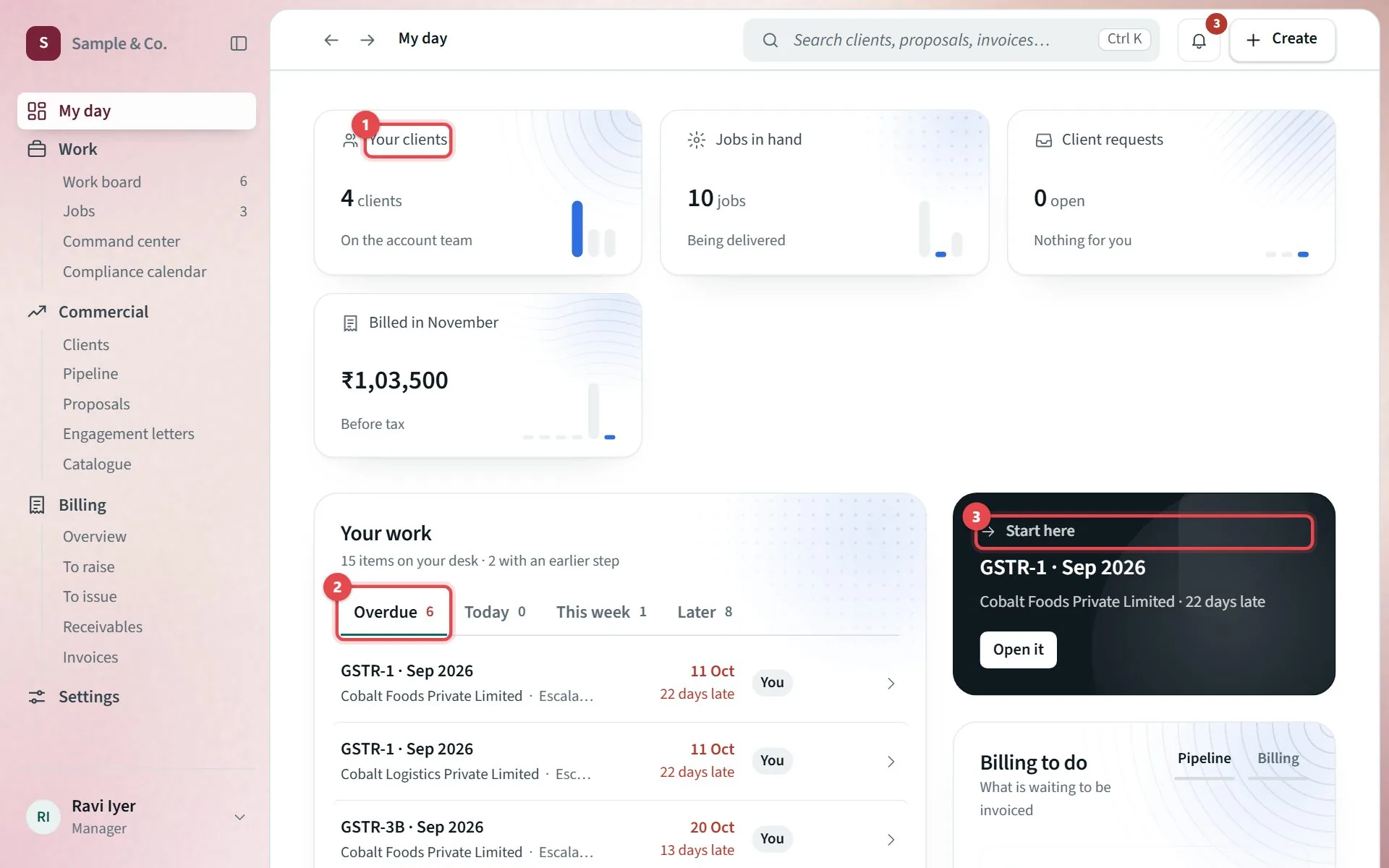 My day for Ravi Iyer, a manager.
Each line in Your work says whose turn it is:
| It says | Meaning |
|---|---|
| You | It is waiting on you. |
| A checker | It is waiting for someone to check it. |
| The client | You are waiting for the client. |
| An admin | A draft invoice is waiting for an administrator (a partner, to start with) to issue it. |
| An earlier step | It is on your desk, but cannot start until an earlier step is done. |
Anything waiting on you now goes under Today. A check to decide, a client request to answer or an escalation is under Today, even if the work is due next week. Only late work stays under Overdue.
Further down the page:
- Sales pipeline and Billing to do: one card that turns by itself every 8 seconds. Pipeline shows new work, from first contact to signature. Billing shows bills to raise, drafts to issue and invoices waiting for an IRN. Point at the card to hold it, or click Pipeline or Billing.
- Compliance calendar: the firm's filings by legal due date, with how many are late.
- Due today: the filings due on the day you pick on the calendar.
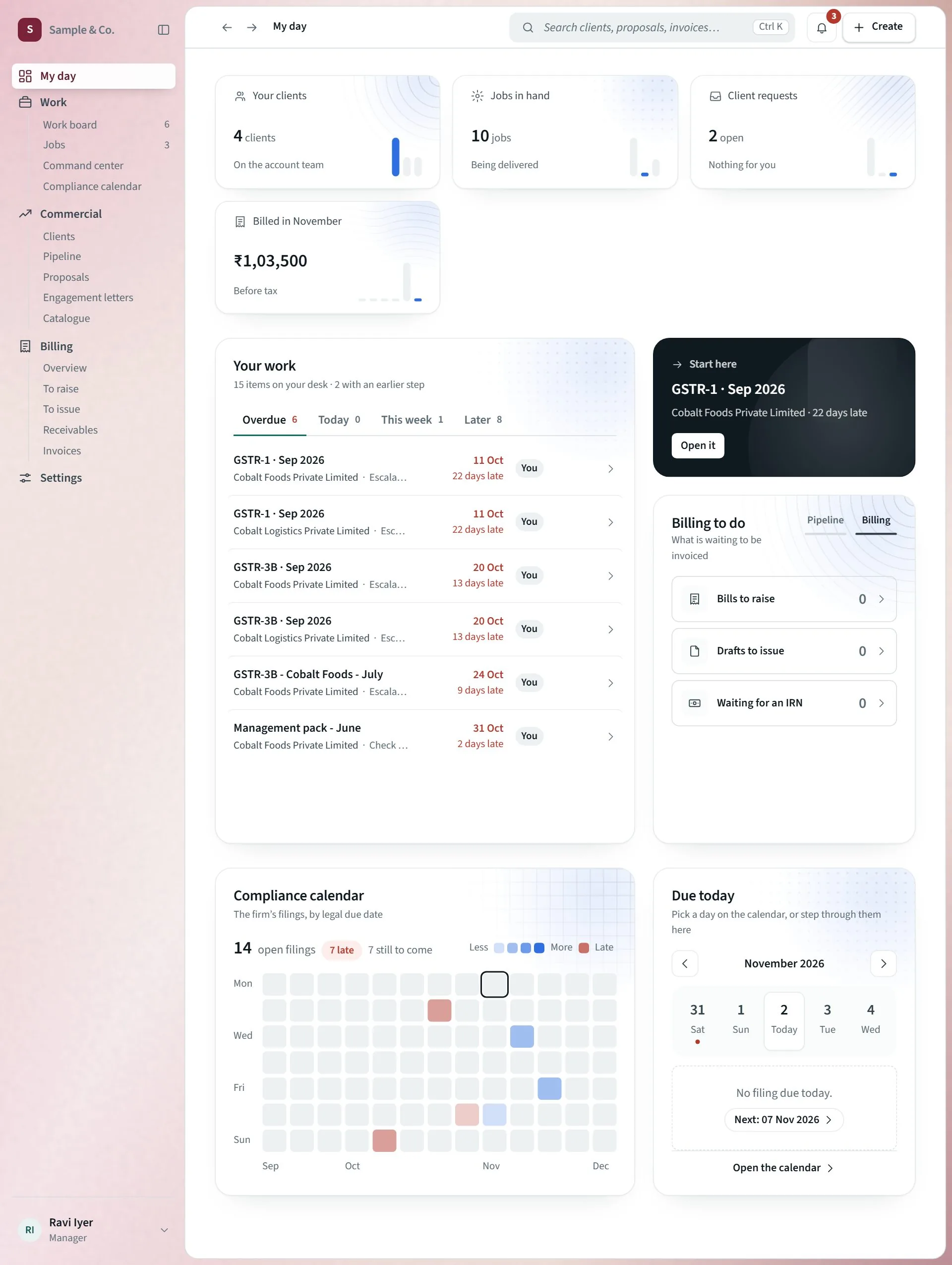 The whole of My day. What you see depends on your role.
A partner may see a Setup card too. Until the firm's setup is finished, a partner's My day shows a line such as "Setup: 9 of 15 done". That is for the partner, not for you.