Find anything with the search box
Who can do it: Everyone
Where: The search box at the top of every page
-
Click the search box, or press Ctrl K.
-
Type 2 or more letters, for example cobalt.
-
Results come in groups: Clients, Proposals, Engagement letters and Invoices. Click one to open it.
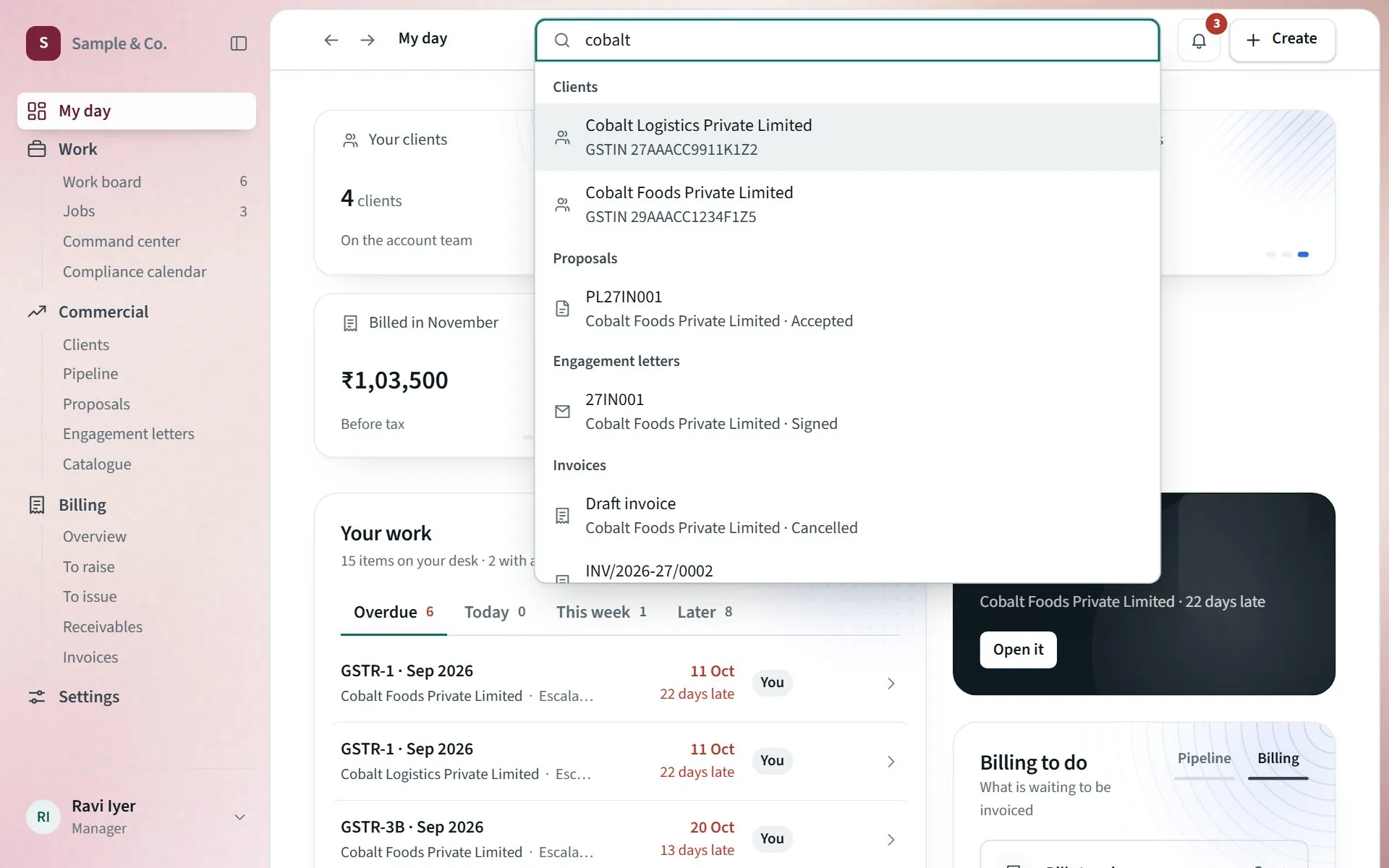 Searching for cobalt.
If nothing is found, BiB says "Nothing matches “…”." Try fewer letters.
Good to know
It finds pages too. Type the name of a page, for example calendar, to jump straight to it.