Keep up with your notifications
Who can do it: Everyone
Where: The bell at the top right
The red number on the bell is how many notifications you have not read.
-
Click the bell.
-
Pick All or Unread (2). The third tab, Client requests, lists what your clients have asked for.
-
Click a notification to open what it is about. It is marked as read.
-
Click Mark all as read (3) to clear the red number in one go.
-
Click View all (4) to open the Notifications page, 20 to a page.
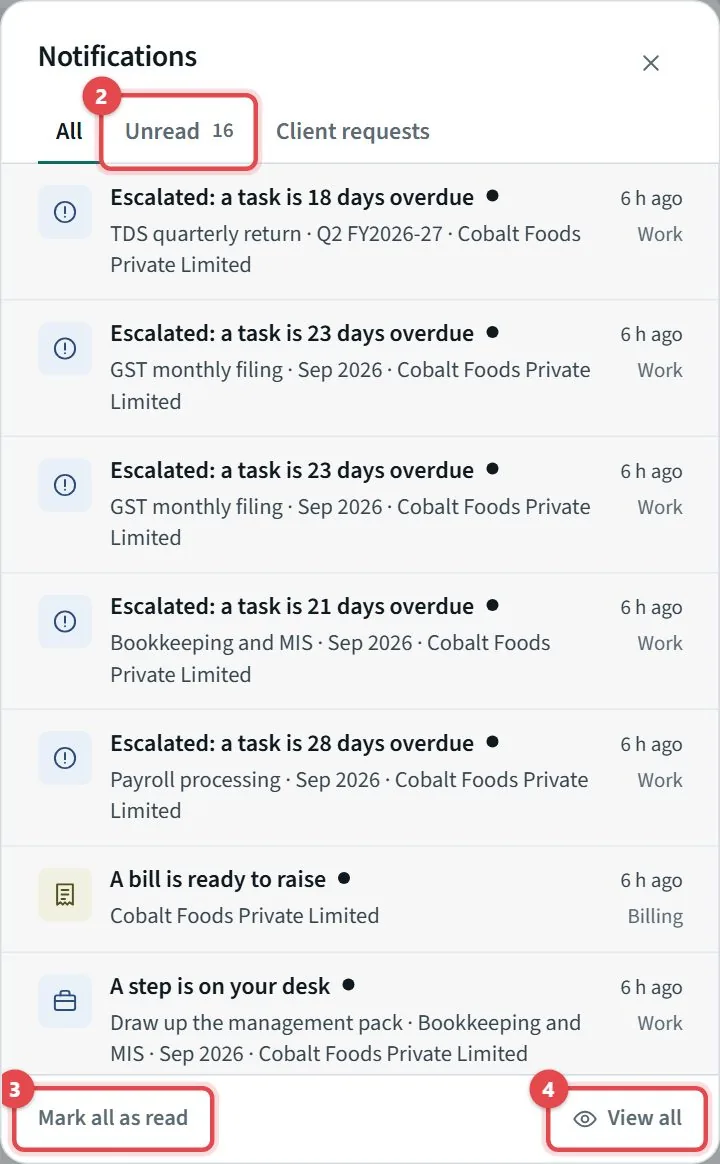 The bell, open. A dot marks each unread one.
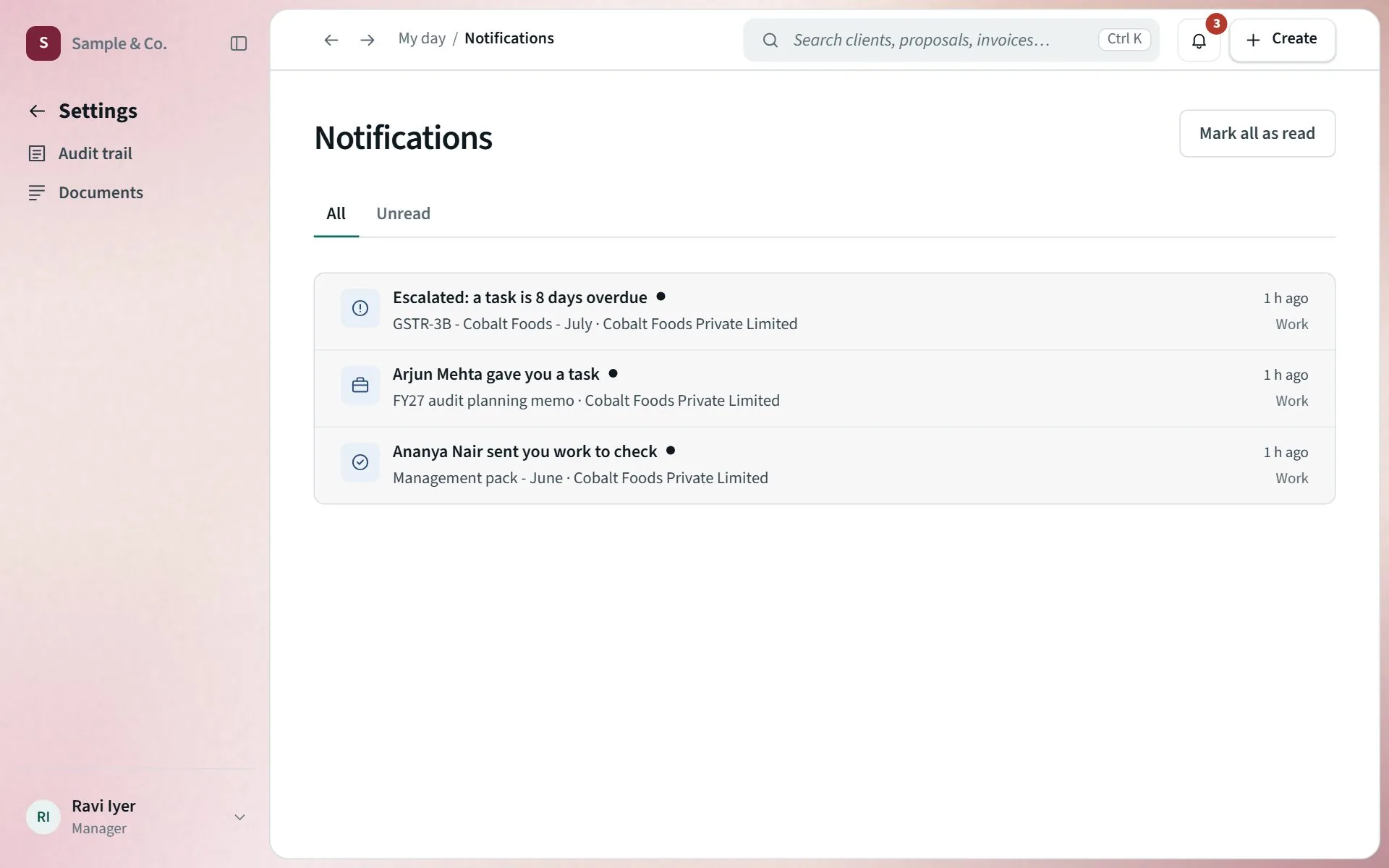 The Notifications page.
Good to know
You choose what reaches you. See "Choose which alerts reach you" below.