Choose which alerts reach you
Who can do it: Everyone
Where: Your name › Your account, section Notifications
Your firm sets what everyone starts with. You can change your own.
-
Open Your account and scroll to Notifications.
-
For each line under Tell me when, tick or untick In the bell and By email. It saves as you click.
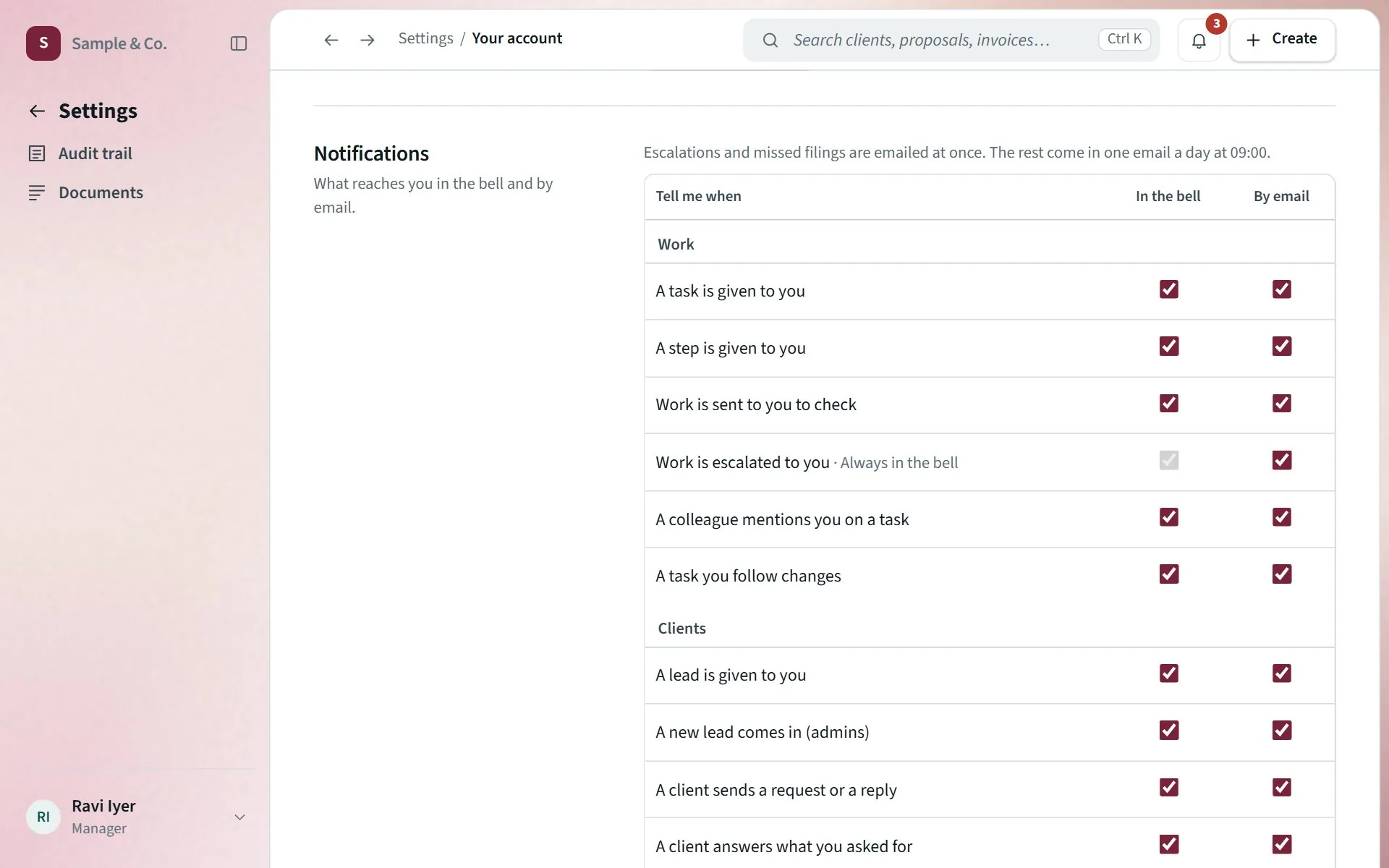 Your own alerts.
Note
Some alerts always reach the bell. A line marked Always in the bell, such as Work is escalated to you, cannot be turned off in the bell. You still choose By email. Escalations and missed filings are emailed at once. Everything else you get by email comes in one email a day, at the hour your firm chose.