Lay the month out by Legal deadline
The month places each filing on its Start by date. You can switch it to the Legal deadline.
Who can do it: Everyone
Where: Work › Compliance calendar , tab Due, Month view
- Click Customize at the right of the filters and tick Dates on the month.
 Extra filters hide under Customize.
- Click the new Dates on the month button and choose Legal deadline.
 Choose which date places each filing on the month.
The filings move to their legal deadline days. The button now reads Dates on the month: Legal deadline. Choose Start by to switch back.
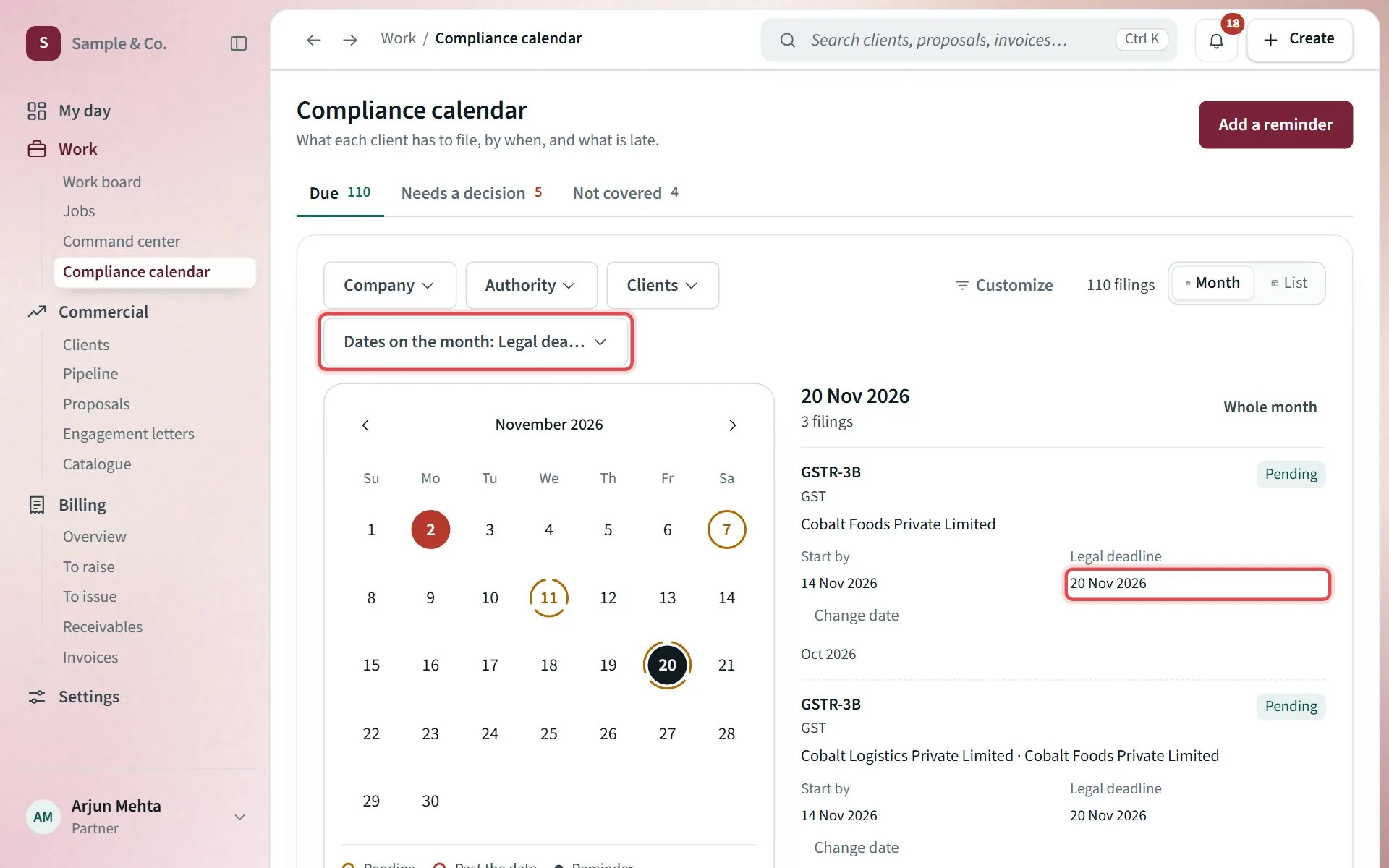 Laid out by Legal deadline: October's GSTR-3B now sits on 20 Nov.
Good to know
Both dates are always printed on each filing. Only the day it sits on changes. Clear all does not reset this setting.