Change one filing's dates
Use this when one filing's date is different from the rule: a government extension, or a state's own date.
Who can do it: A partner, or this client's Key Manager
Where: Work › Compliance calendar , List view, Change date under the Legal deadline
Before you start: The filing is not filed, missed or decided.
-
Click Change date on the filing.
-
Pick the new Legal deadline.
-
Pick the new Start by too. It does not move by itself.
-
Type why the legal deadline moved, for example "CBIC extended GSTR-3B for November 2026 to 27 Dec".
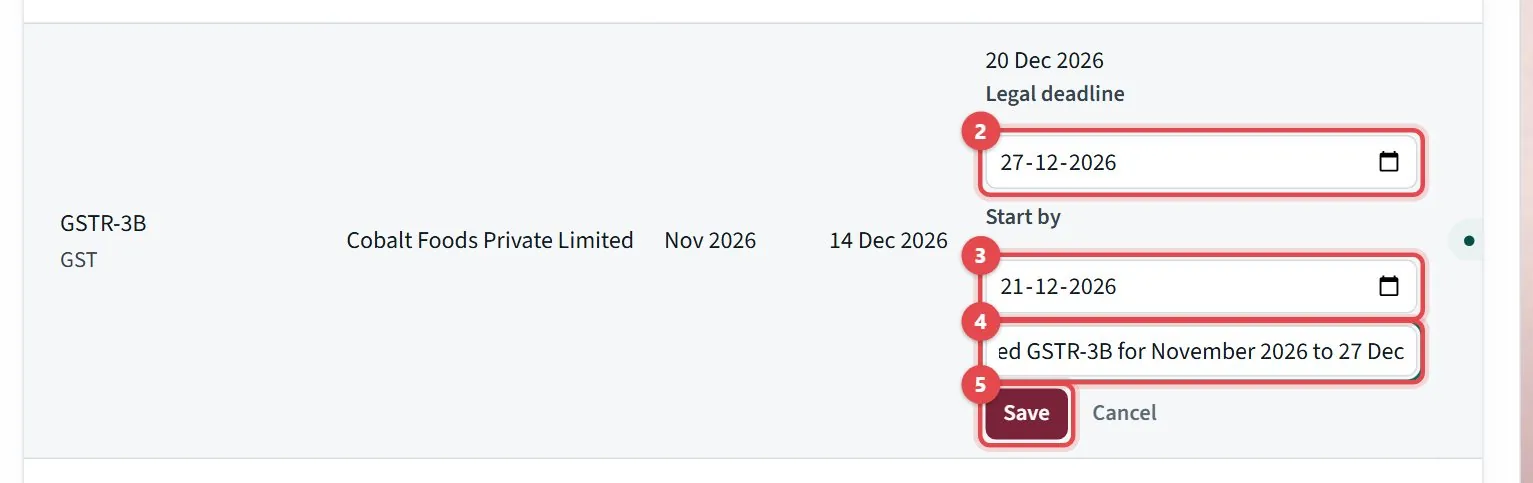 Moving the legal deadline needs a reason.
- Click Save.
The filing now shows "Set by hand". If its task is already on the board, the task's due date moves to the new Legal deadline. Client heads-ups start again for the new date.
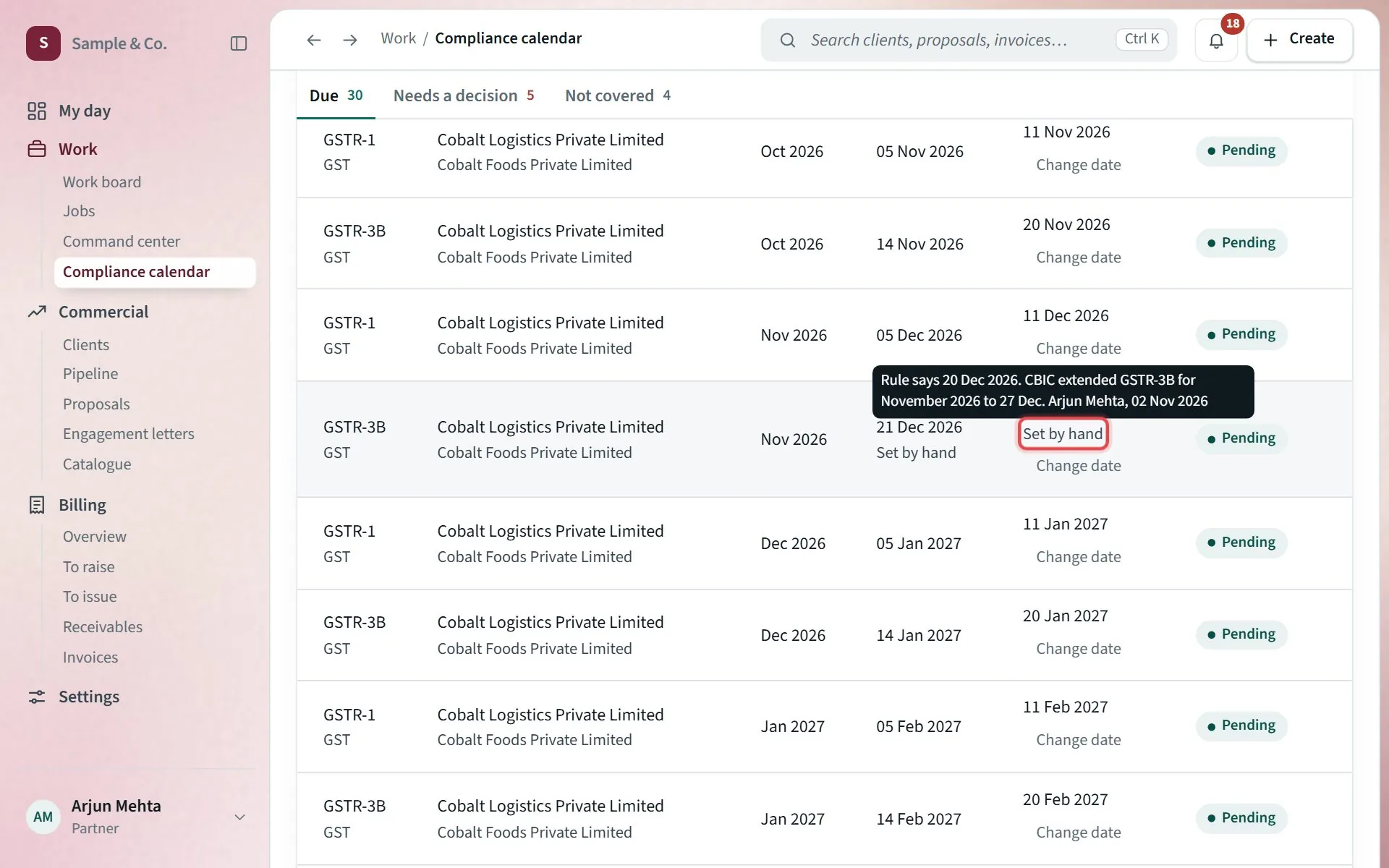 Point at "Set by hand" to see the rule's date, the reason and who changed it.
A government extension: change each filing, one by one. BiB has no tool that moves many filings at once. If GSTR-3B is extended for all clients, click Change date on each affected filing and give the same reason. Do not ask a partner for a rule exception: that would move the same month every year.
| You see | Do this |
|---|---|
| "Only a partner or this client's Key Manager can change a filing's date…" | Ask a partner or the client's Key Manager. |
| "This filing's dates cannot be changed because its date has passed and it is waiting on a partner's decision…" | A partner decides it on the Needs a decision tab. |
| "The internal target (…) is after the statutory date (…)…" | Make Start by the same day as the Legal deadline or earlier. |
| "This filing's dates changed while you were changing them…" | Reload the page and try again. |
| "This date has passed. The next run will mark the filing missed." | Check the date. A past legal deadline turns the filing missed overnight. |