Find out why a client has no filings
Who can do it: Everyone can look. A partner does the fixes.
Where: Work › Compliance calendar , tab Not covered
-
Open Not covered. It lists live engagements that put nothing on the calendar, grouped by reason.
-
Read the heading of each group and use the link under it.
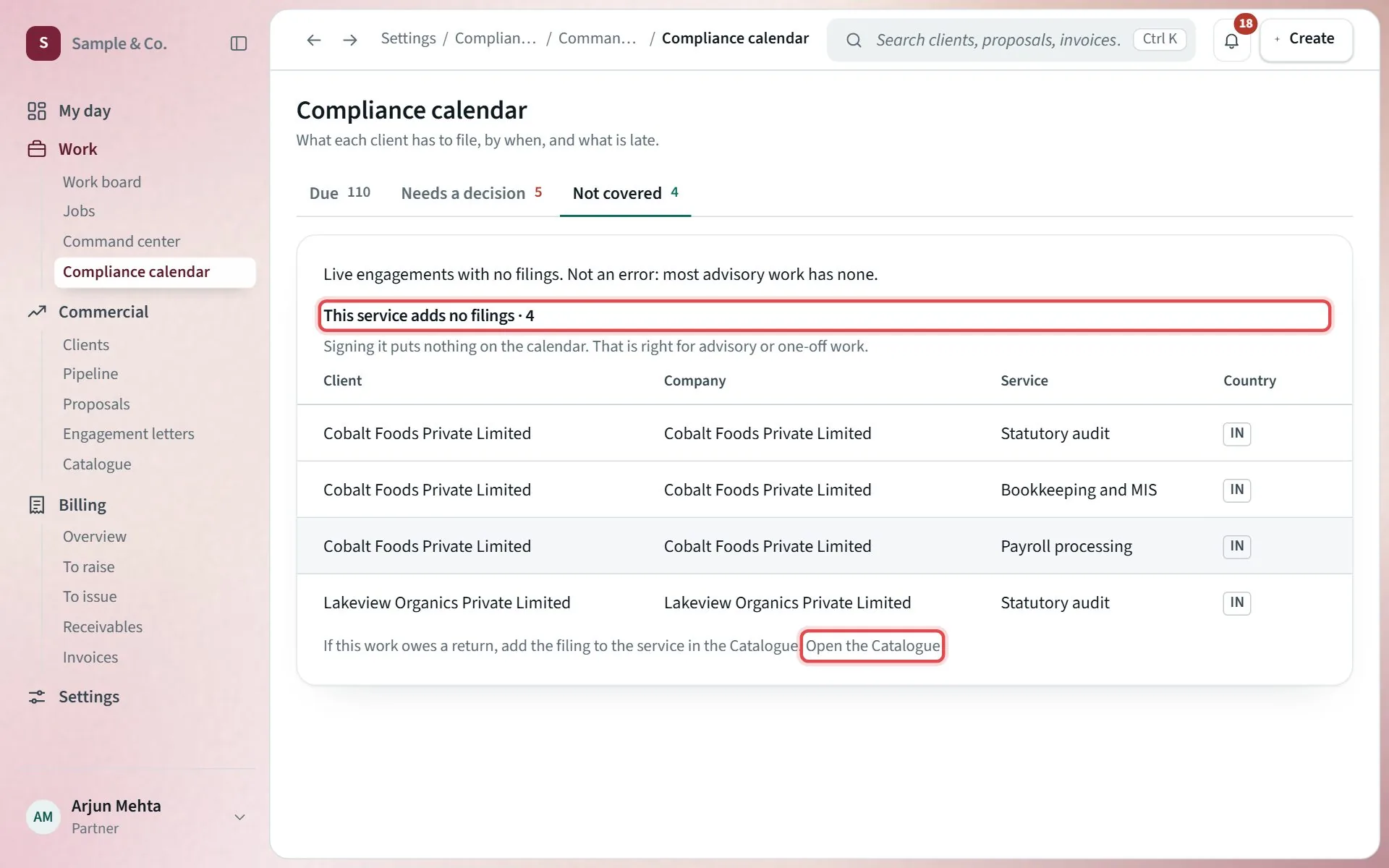 Bookkeeping, audit and payroll services add no filings in the sample firm.
| Heading | What to do |
|---|---|
| This company has no registered country | Open Clients and give the company its country and entity type. |
| A filing could work out the dates, but nobody has confirmed it | Open the rules and tick Confirmed once it is checked. |
| A filing on this service cannot work out a date yet | Open the rules and give each rule its date, then confirm it. |
| Every filing on this service has been retired | Open the rules and reactivate one, or add its replacement. |
| A filing is on this service, but not for this country | Open the Catalogue and add the filing for this country to the service. |
| Covered, with nothing due yet | Nothing. Nothing is due in the next 12 months. |
| This service adds no filings | Usually right (advisory, bookkeeping, audit). If the work does owe a return, Open the Catalogue and add the filing to the service. |
Example
Payroll processing. In the sample firm, "Payroll processing" adds no filings. If your payroll work files the monthly PF return, a partner adds EPFO ECR / PF to that service.