Decide about a missed deadline
When a legal deadline passes with nothing filed, the filing becomes Missed and waits for a partner.
Who can do it: Partner (everyone can see the list)
Where: Work › Compliance calendar , tab Needs a decision
-
Open Needs a decision. The oldest is at the top. Late by shows how many days.
-
Click Decide on the filing.
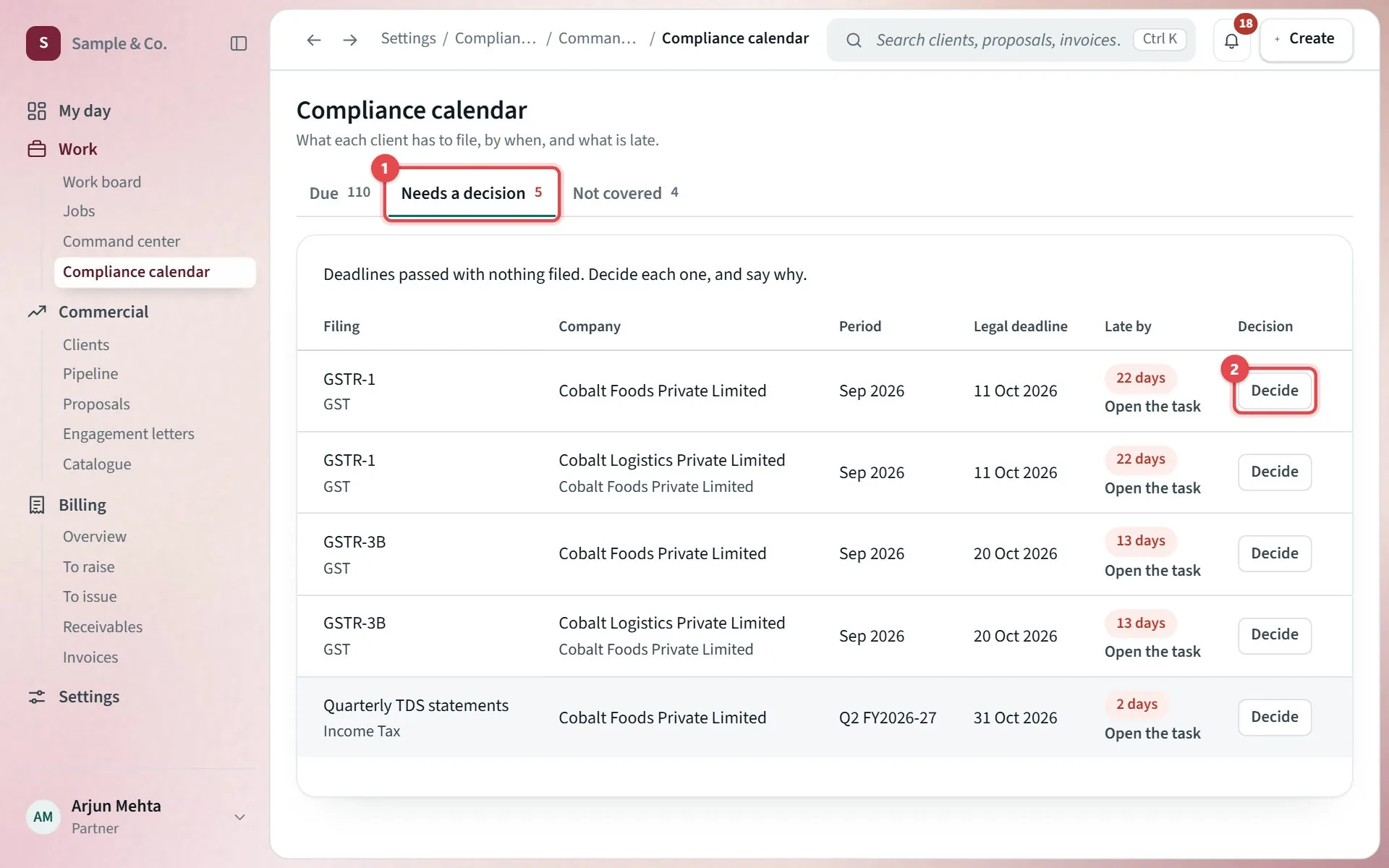 Missed filings wait here for a partner.
-
Choose what was decided, for example Accept the late fee. A line under it says what happens next.
-
Type the reason, for example "The client sent the books late". It is required.
-
Click Record decision.
 Pick the decision, say why, and record it.
The filing leaves the list. What happens next depends on the decision:
| Line under the decision | What happens |
|---|---|
| "The filing still has to happen. It goes back to be worked and filed late." | It goes back to Pending. Finish its task to file it late. |
| "This ends the filing. It will never be made, and the obligation closes." | It closes as Resolved. |
"Missed" is judged on the Legal deadline, never on Start by. The red "Missed" under the date shows as soon as the day passes. The filing reaches this tab the next morning. If its State still says Pending after that, the client's work is not approved yet: a partner approves it in Work › Command center .
A decision cannot be changed once recorded. A decision marked "(unconfirmed)" has not been confirmed by a partner yet. You can still use it.
| You see | Do this |
|---|---|
| "Your role does not let you decide what happens to a missed deadline…" | Ask a partner. |
| "No decision options are set up yet." | A partner adds one in Settings › How work runs › Calendar words . |
| "Somebody has already decided what happens about this deadline…" | Reload the page. It is done. |