Check someone's task
Who can do it: Whoever your firm's rule allows (Settings › How work runs › Who checks work), never the maker
Where: Work › Work board , To check tab
-
Click the To check tab (1). The line at the top says how many are yours to check.
-
Open the task and read the work, the checklist and the maker's note.
-
To approve, click Approve (3).
-
To send it back, write what has to change and click Send back (4). A note is required.
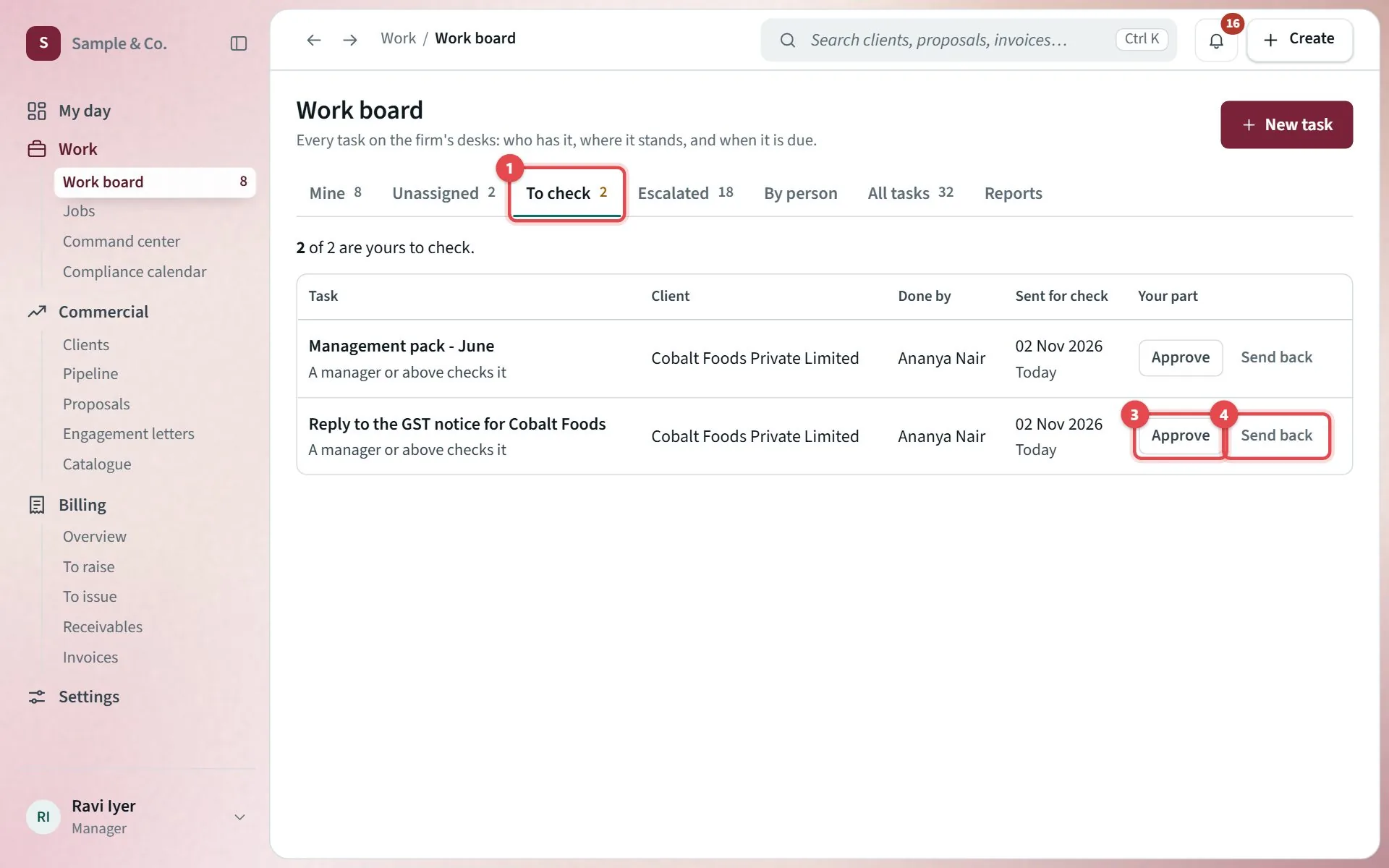 Tasks waiting for a check. This one is yours: Approve (3) or Send back (4).
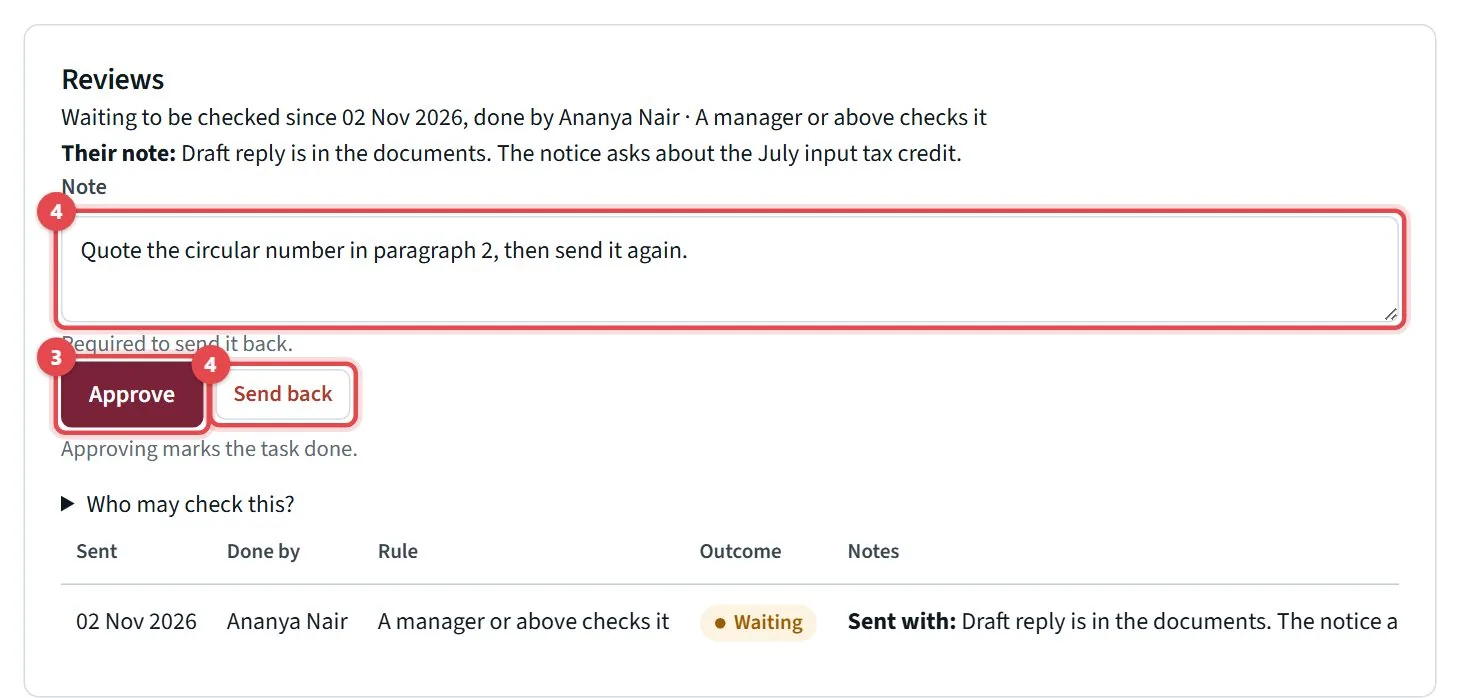 On the task: write the Note (4), then Send back. Or Approve (3).
Approving finishes the task: it moves to Completed.
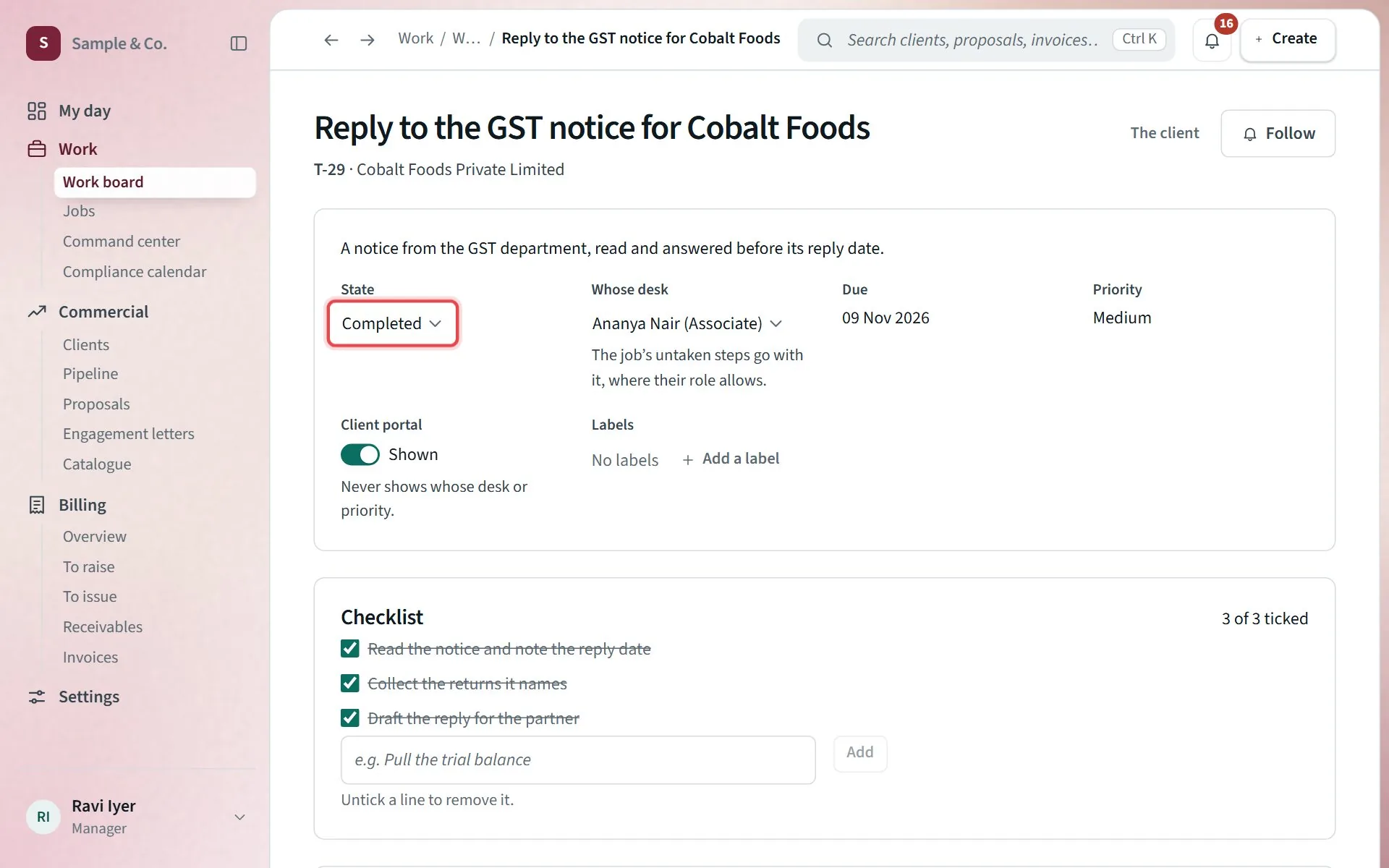 The task after the manager approved it.
A task that files a return. Approving asks for Filed on the portal on, one date per filing (today unless you change it). The filing then shows as filed on the calendar and the client's portal.
| You see | Do this |
|---|---|
| "Not yours" with a reason under the row | Someone else must check it. The reason says who. |
| "This step is checked by a more senior role than yours." | Leave it for a more senior colleague. |
| "This review was already approved: somebody else got there first…" | Nothing to do. |