Ask the client for something
Who can do it: Partners, managers and associates
Where: the task, Client & files tab, Asked of the client
Before you start: The task's Client portal is Shown, and someone at the client can sign in to the portal.
-
Click Ask the client.
-
Choose What do you need? (2): a document, a question or an approval. For a document, choose File it as.
-
Type Your words (3). The client sees them word for word, with your name.
-
Click Send the ask (4).
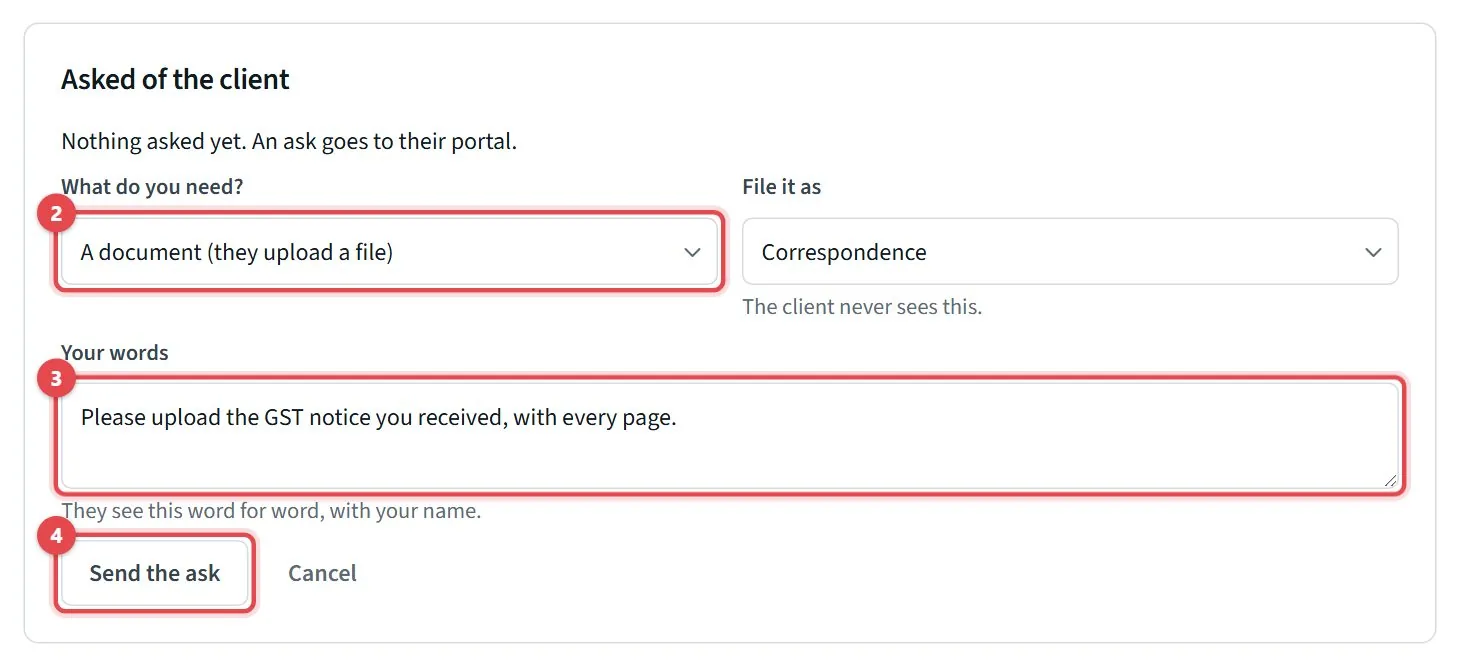 Asking Cobalt Foods for a document.
The ask appears on the client's portal. Their answer comes back to this card.