Make the engagement letter your own
The plain answer. You cannot upload your own Word or PDF template, fonts or layout. BiB draws every engagement letter itself, in one design. You make the letter your firm's by filling in a few screens: your logo, your company's details, who signs, your standard wording, each service's wording, and your standard terms. Once those are filled in, every new letter carries your words, your logo and your details.
What every letter looks like
Every new engagement letter has three parts, always in this order:
- Page 1, the cover letter: your logo and company details, the date, the client, the subject, your opening paragraphs, your signature, and the client's acceptance.
- Annexure 1, "Scope of Services, Deliverables & Fees": the background, each service with its wording, the Summary of Fees, then your commercial notes, team and general exclusions.
- Annexure 2, "Standard Terms & Conditions": your terms, numbered.
The pictures below are the sample firm's real letter for Cobalt Foods. Each number shows which screen sets that part.
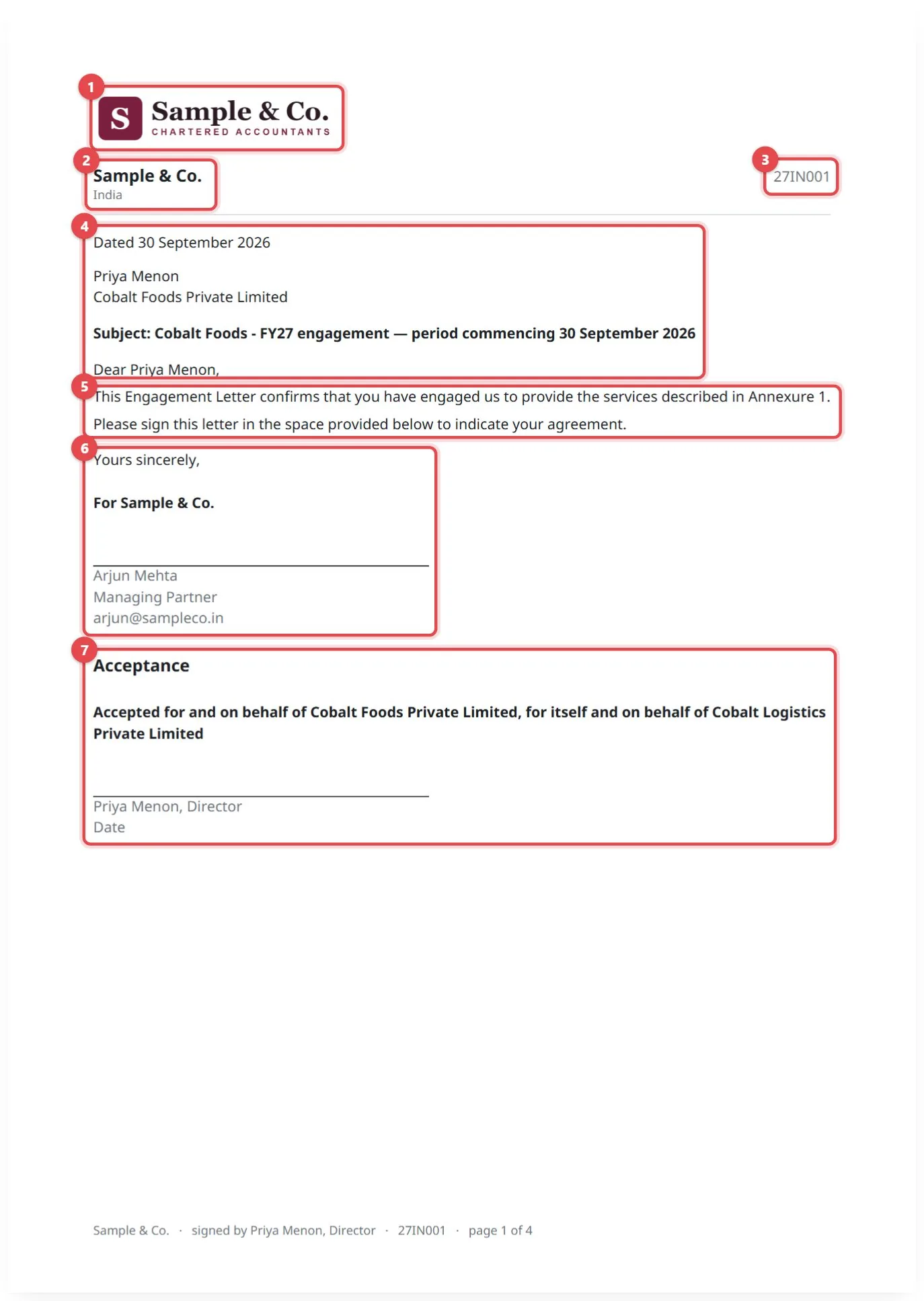 Page 1: the cover letter.
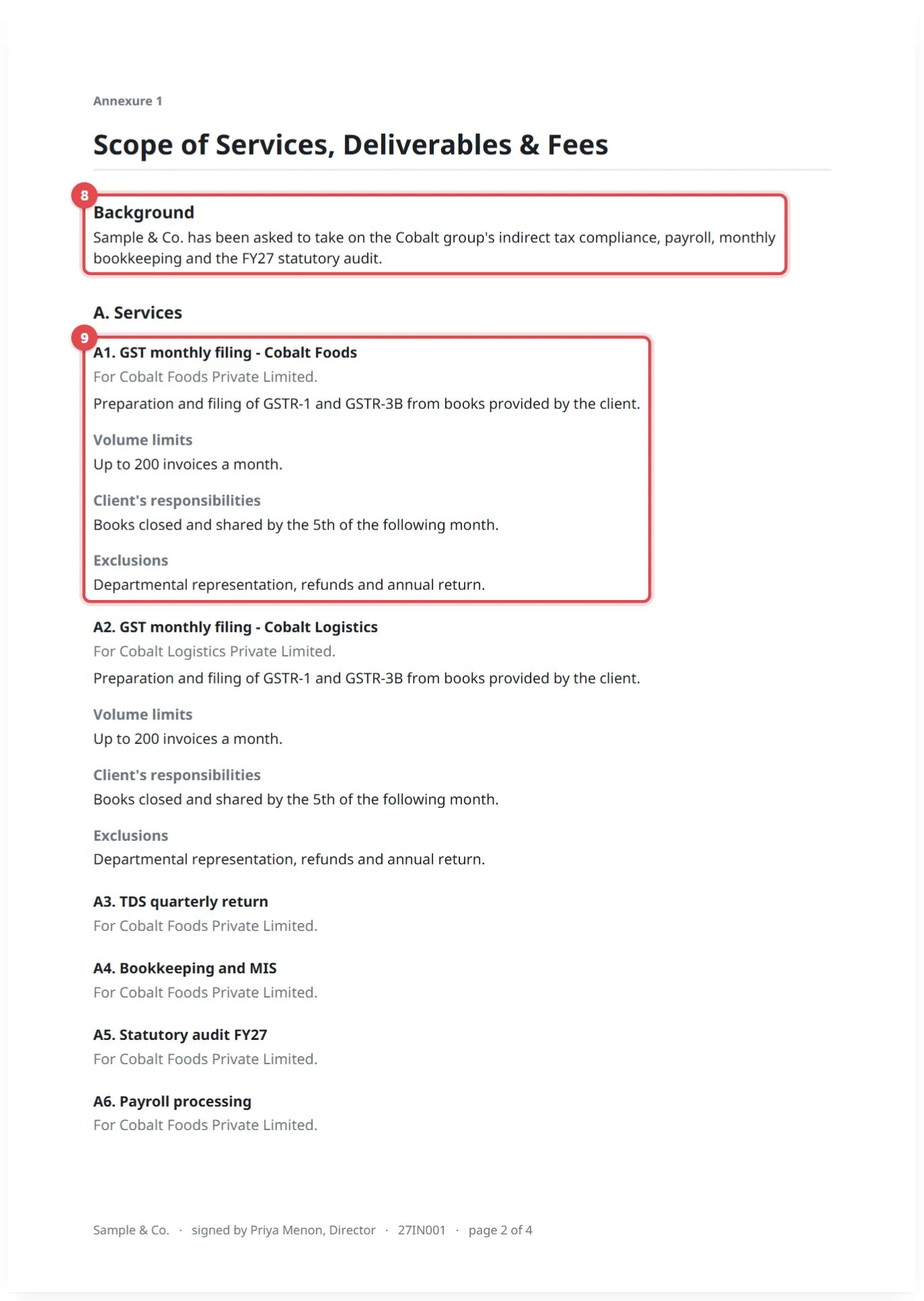 Annexure 1: the services and their wording.
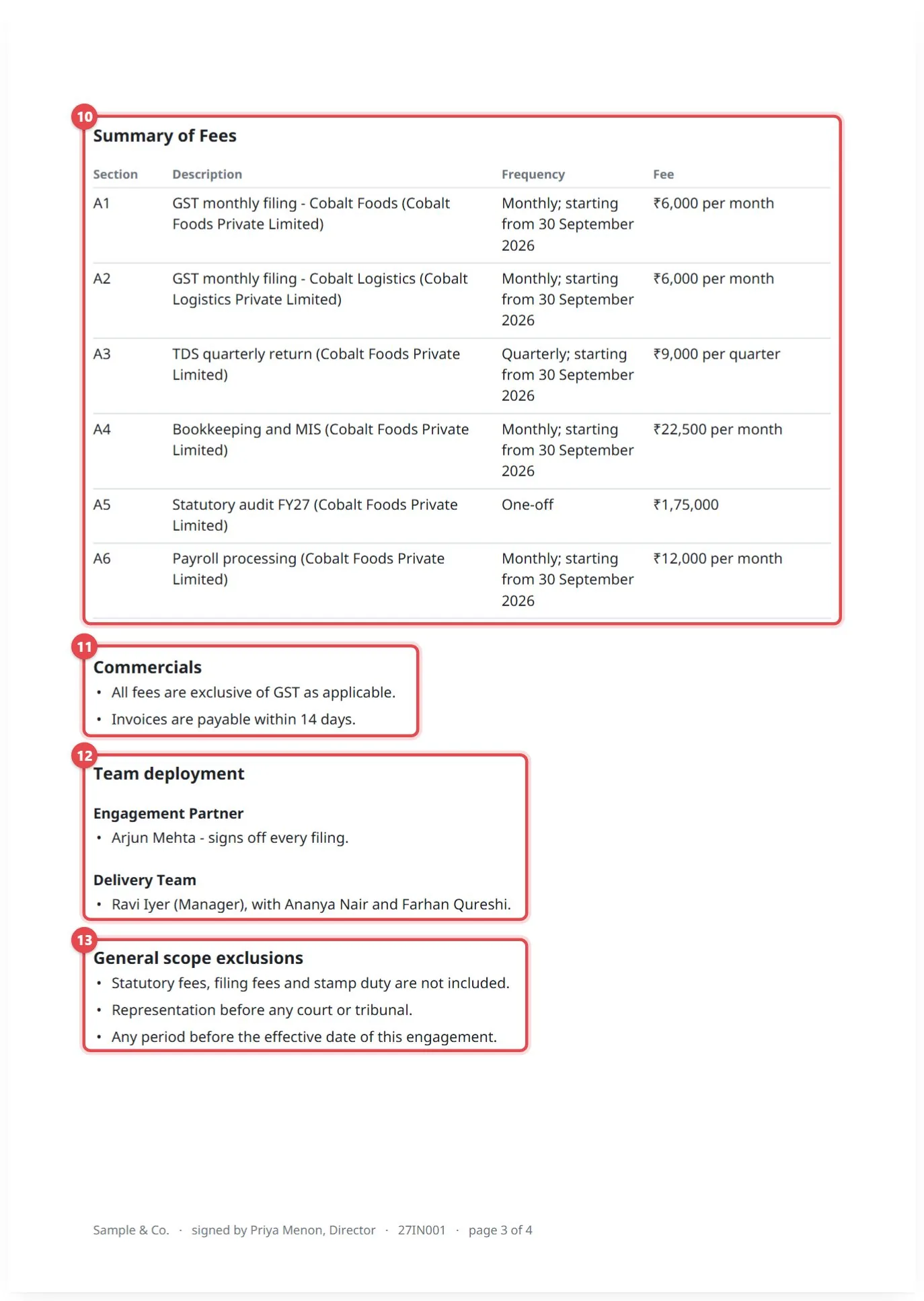 Annexure 1 continued: the fees, commercials, team and exclusions.
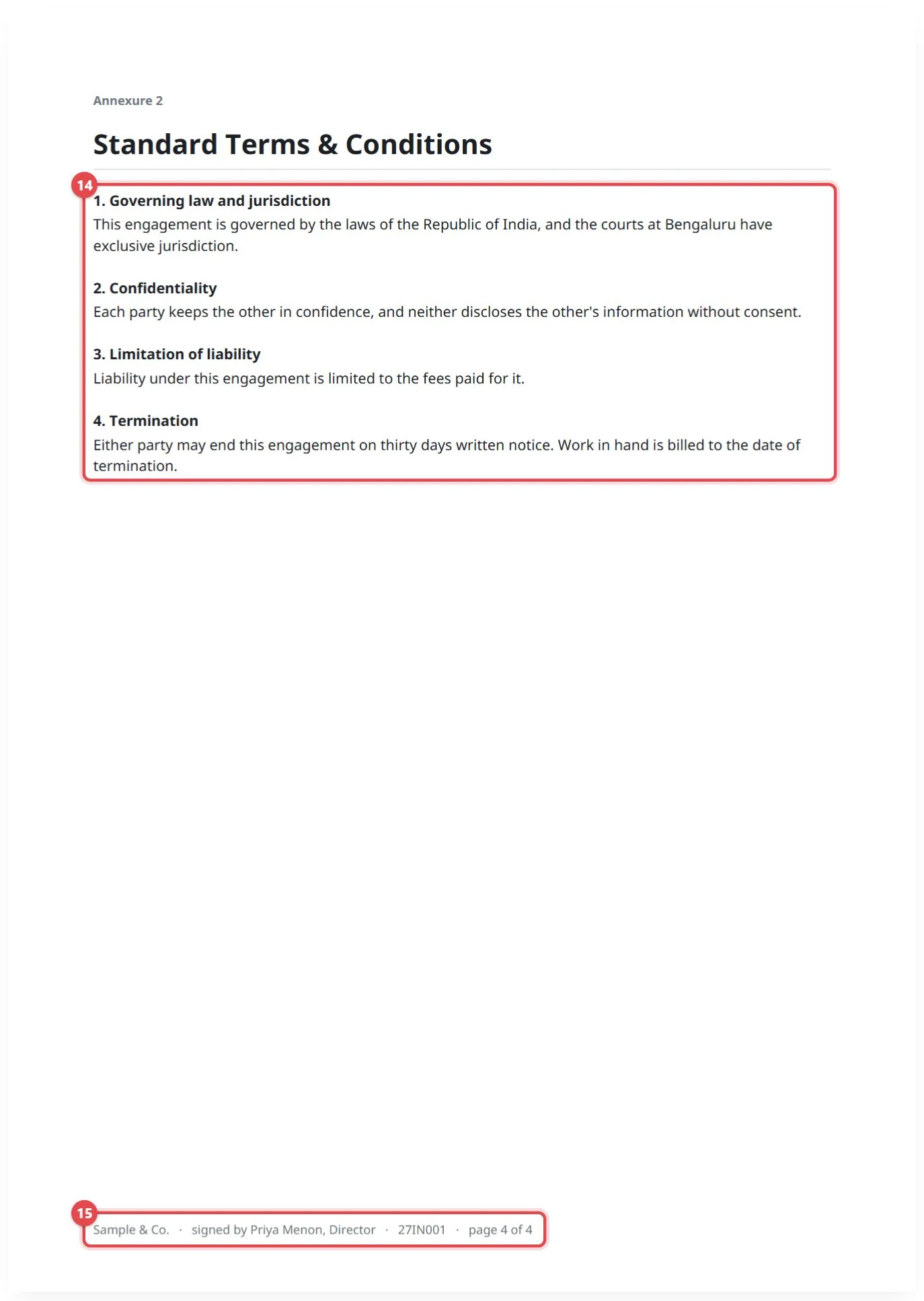 Annexure 2: the standard terms.
| No. | Part of the letter | Where you set it |
|---|---|---|
| 1 | Logo | Settings › Documents › Brand › Logo |
| 2 | Company name, address, phone, email, GSTIN, PAN, CIN | Settings › The firm › Your firm › Companies |
| 3 | Reference number (27IN001) | Made by BiB. Only the starting number each year can be set: Settings › The firm › Your firm › Document numbers |
| 4 | Date, client, "Dear …", subject | The letter itself, when it is drafted |
| 5 | Opening paragraphs | Settings › Documents › Standard prose › Cover letter |
| 6 | Signature block | Settings › The firm › Your firm › Signing, and Brand › Signature |
| 7 | Paragraph above the client's signature | Settings › Documents › Standard prose › Acceptance |
| 8 | Background | The letter itself |
| 9 | Each service's wording | Commercial › Catalogue › the service › What’s included |
| 10 | Summary of Fees | The prices on the letter, which start from the Catalogue |
| 11 | Commercials | Settings › Documents › Standard prose › Commercial notes |
| 12 | Team deployment | Settings › Documents › Standard prose › Team |
| 13 | General scope exclusions | Settings › Documents › Standard prose › Exclusions |
| 14 | Standard Terms & Conditions | Settings › Documents › Standard terms , then added on each letter |
| 15 | The line at the foot of every page | Fixed |
The Cobalt Foods letter was sent before the sample firm wrote an acceptance paragraph and typed in its address. So part 7 has only the client's signing line, and part 2 shows only the name and country. Letters made after you fill these in carry them.
What you cannot change
- The design: page 1, then Annexure 1, then Annexure 2.
- The font, sizes, colours, margins and A4 page size, and where the logo sits.
- The fixed headings and words, such as "Annexure 1", "Summary of Fees", "Volume limits", "Commercials", "Team deployment", "Acceptance", "Subject:", "Yours sincerely," and "Dear Sir or Madam," (used when no person is named).
- The pattern of the reference number (27IN001 for a letter, PL27IN001 for a proposal).
- A website on the letterhead: it cannot be shown on the letter today.
- Your own letterhead image: the Letterhead file on the Brand screen is kept on record, not printed.
Set it up in this order
-
Your company's details (Companies).
-
Who signs (Signing).
-
Logo and signature (Brand).
-
Opening paragraphs and the acceptance paragraph (Standard prose).
-
Commercial notes, team and exclusions (Standard prose).
-
Each service's wording (Catalogue).
-
Standard terms (Standard terms).
-
Draft one test letter and read its preview before you send any real one.
Standard wording is copied onto a letter when the letter is made If you change it later, letters made before the change keep the old words. Example: you fix a typo in the opening paragraph on Monday. A draft letter made on Friday still has the typo. Fix it on that letter, or start a new letter.