Choose the filings a service puts on the calendar
Who can do it: Partner. Everyone can look.
Where: Commercial › Catalogue › the service › Compliance filings
Before you start: The filing is usually in your library already ( Settings › How work runs › Compliance rules ).
- Open the service and click the Compliance filings tab.
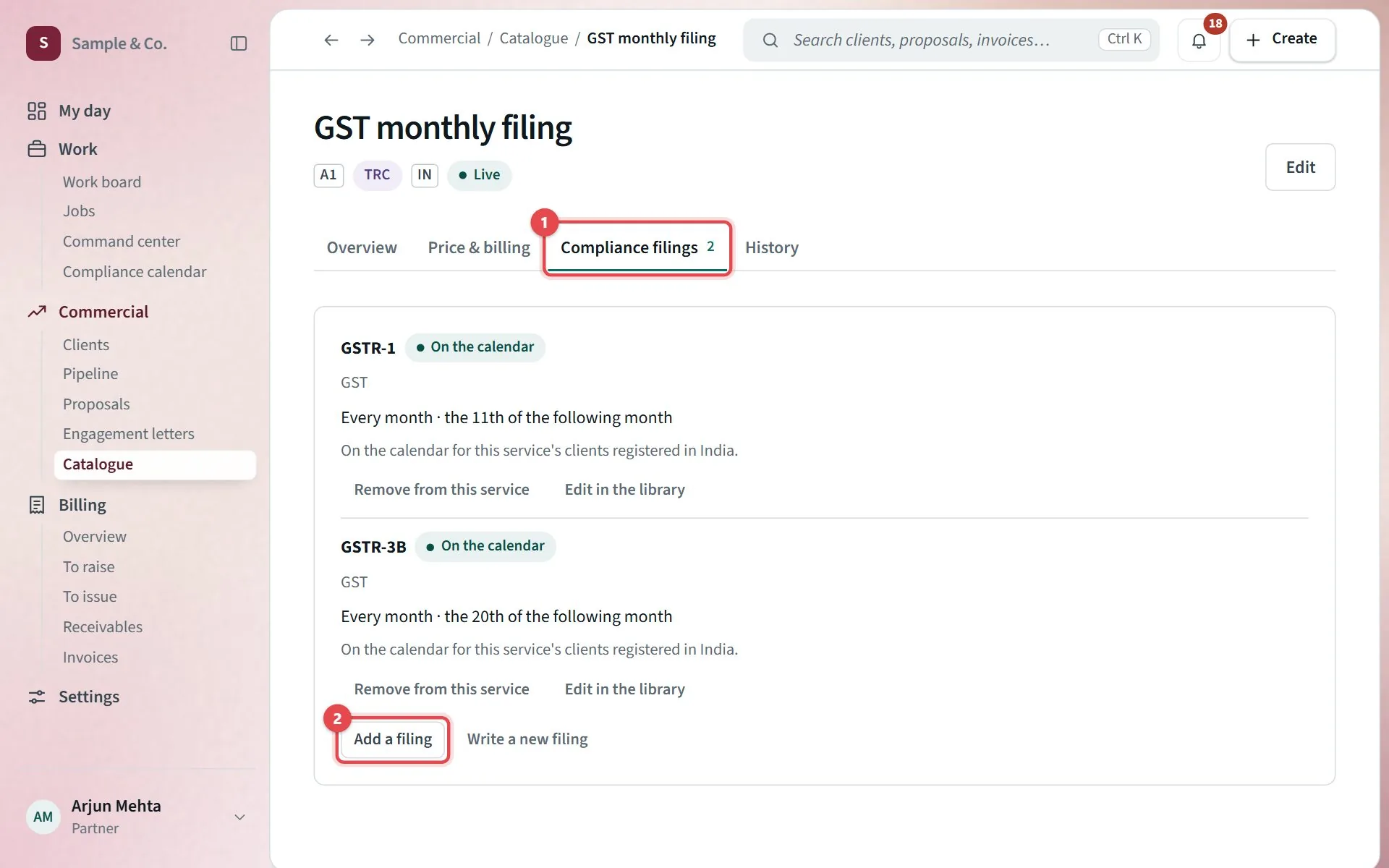 The filings this service puts on its clients' compliance calendars.
- Click Add a filing, type part of its name (for example "GST"), and pick it.
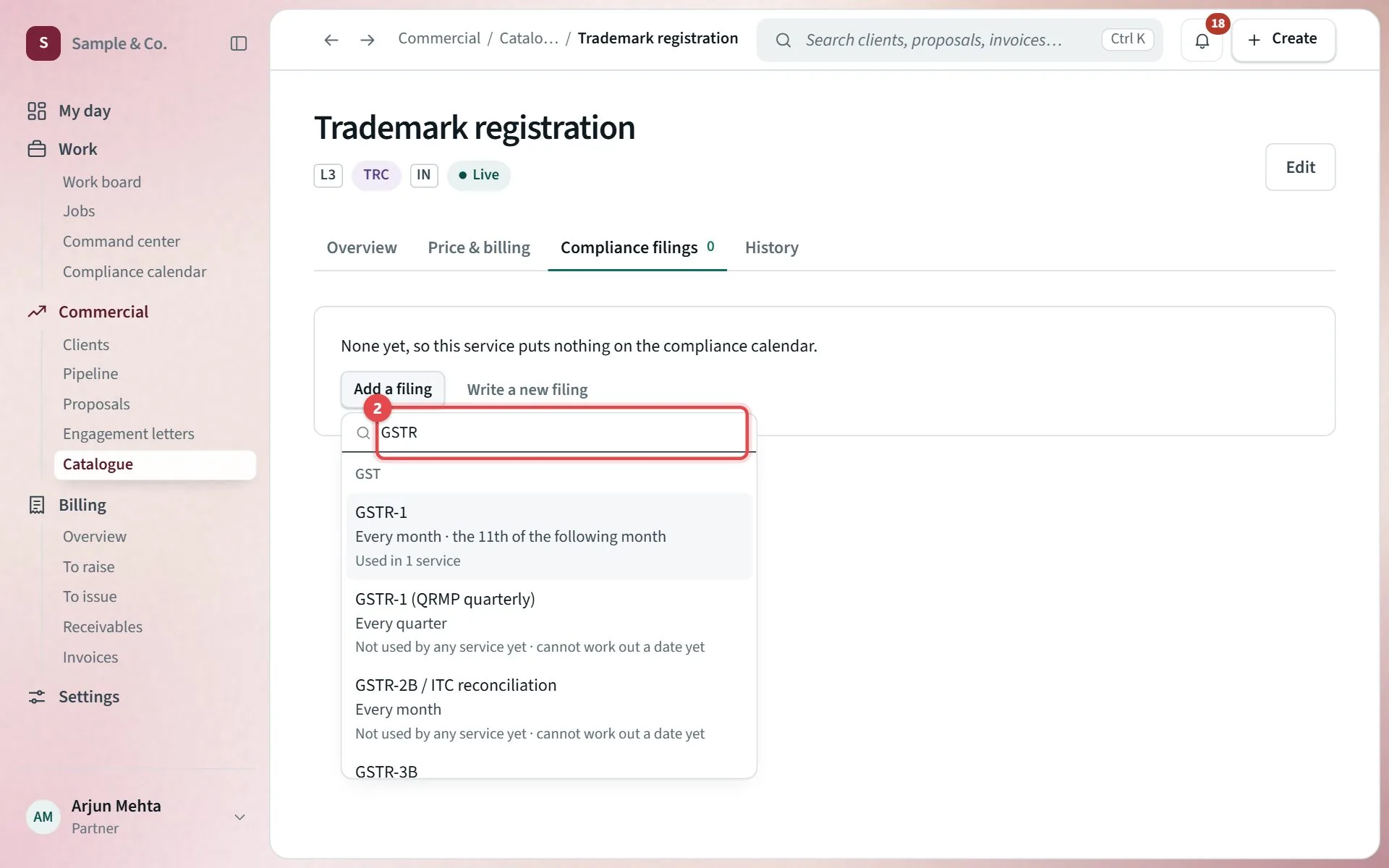 Search the library and pick the filing.
-
If nobody at your firm has checked that filing's dates yet, a You are confirming panel opens. Read the dates, then click Confirm and add it.
-
If the filing is not in the library at all, click Write a new filing, fill it in, and click Write it and add it to this service.
BiB tells you how many filings it added, and for how many companies, for example "GSTR-3B is confirmed and added to this service. 4 filings added to the calendar for 2 companies."
To take a filing off: click Remove from this service on its row, then Remove it. Upcoming filings go off the calendar; any that already have work started on them are kept.
No filings, nothing on the calendar A service with no filings puts nothing on the compliance calendar, however many clients sign for it.
A change here is not versioned like a price. It applies at once to every client on the service.
| You see | Do this |
|---|---|
| "Nothing in the library matches." | The filing is not in your library. Use Write a new filing. |
| "Your library already has … Choose it from "Add a filing" instead of writing it again." | Add it from the Add a filing list. |
| "Every filing in your firm's library is already on this service." | Nothing is left to add. |