Set up the escalation ladder
Who can do it: Partner or admin
Where: Settings › How work runs › Escalation ladder
Before you start: On Settings › The firm › People , everyone has a Reports to (so "their manager" means someone).
The ladder says who hears about it when work is late or nobody has picked it up. Each line is a rung.
-
Read the box (1): Nothing fires until you publish it. A new firm has no ladder.
-
Click Write the ladder (the first time) or New version (2).
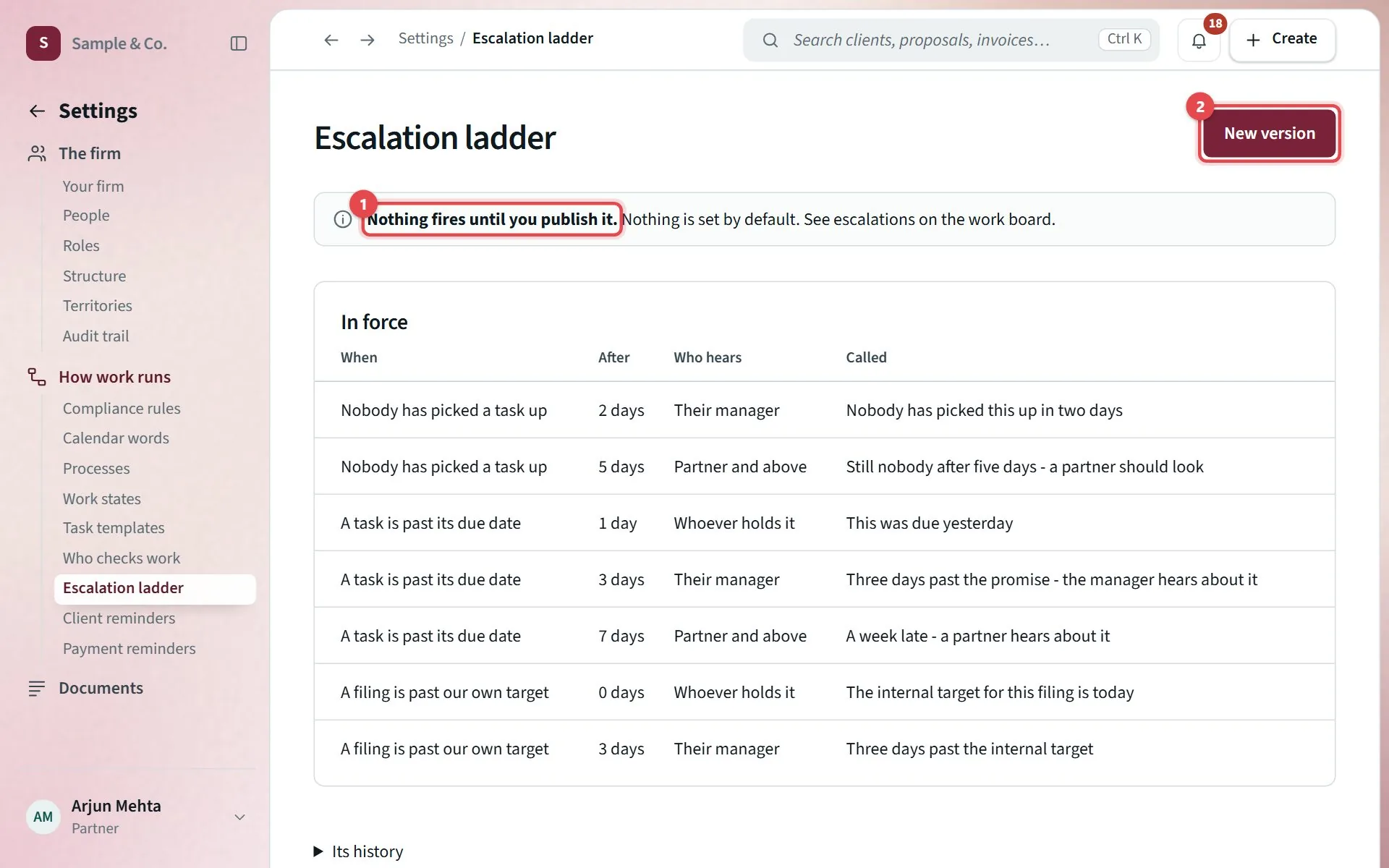 The sample firm's ladder in force: seven rungs.
- For each rung, fill in:
- When: A task is past its due date, Nobody has picked a task up, or A filing is past our own target.
- After how many days.
- Who hears about it: Whoever holds it, Their manager, or A role and above (then pick
- From which role).
- What to call this step, for example Tell their manager.
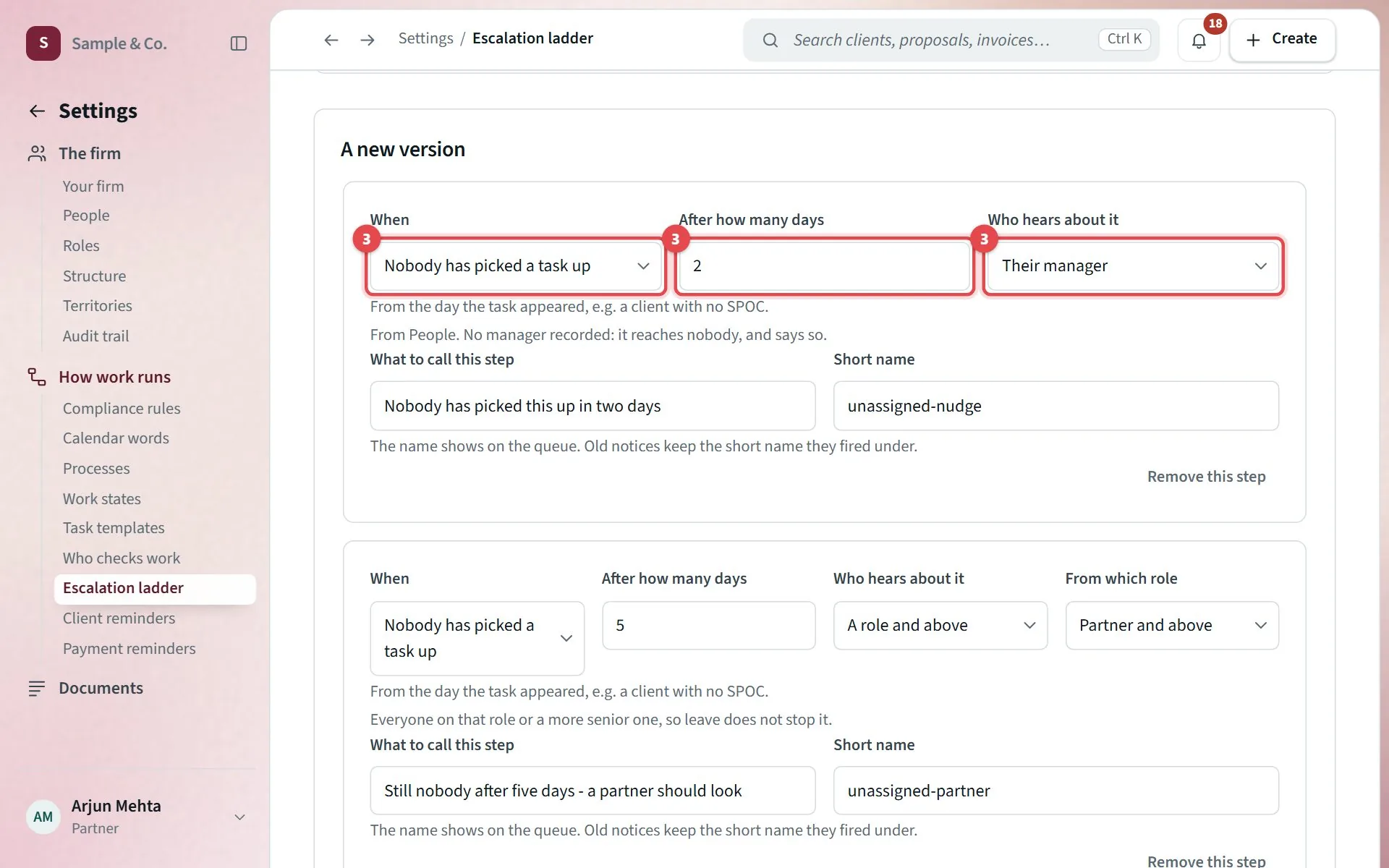 Writing the ladder: each rung's When, After how many days and Who hears about it (3).
-
Click Add a step for each rung. Remove this step drops one.
-
Click Save as a draft, then Publish on the draft.
Once a day BiB checks every task and filing against the ladder. What it raises shows on the Work board's Escalated tab and on the told person's My day.
The sample firm's ladder. A task due on 10 Nov and still open: on 11 Nov whoever holds it hears; on 13 Nov their manager; on 17 Nov every partner.
"Their manager" needs Reports to. If someone has Nobody under Reports to, a Their manager rung about their work reaches nobody, and the Escalated tab says Nobody. A role and above always reaches someone, even when one person is on leave.
Our own target means Start by. A filing is past our own target counts from the filing's Start by day, and stops at its Legal deadline. After the deadline it is a partner's decision on the compliance calendar.
| You see | Do this |
|---|---|
| "No role has a seniority yet, so a step cannot go to a role and above. Set it on Roles." | Give your roles a seniority on Settings › The firm › Roles , or choose another Who hears about it. |