Name your task states and priorities
Who can do it: Partner or admin
Where: Settings › How work runs › Work states (the page is called Work states and priorities)
The states are the lanes of the Work board. A new firm gets Not Started, In Progress, Waiting for Client, Waiting Internal, Under Review, Blocked, Completed and Cancelled. You can keep them.
The ticks in each row, not the names, drive BiB's rules:
| Column | Tick it on the state that… |
|---|---|
| Starting | every new task starts in. Exactly one. |
| Finished | means the task is over, well or not. |
| Done, not dropped | means it finished well (Completed, not Cancelled). Only this one files a return. |
| Blocked | means stuck. BiB asks for a written reason. |
| With a checker | a task moves to when someone clicks Send for review. One at most. |
-
To rename a state, change its order or give its lane a limit, click its Name, Order or
Limit, type, and press Enter.
-
Tick or untick what each state means (2), using the table above.
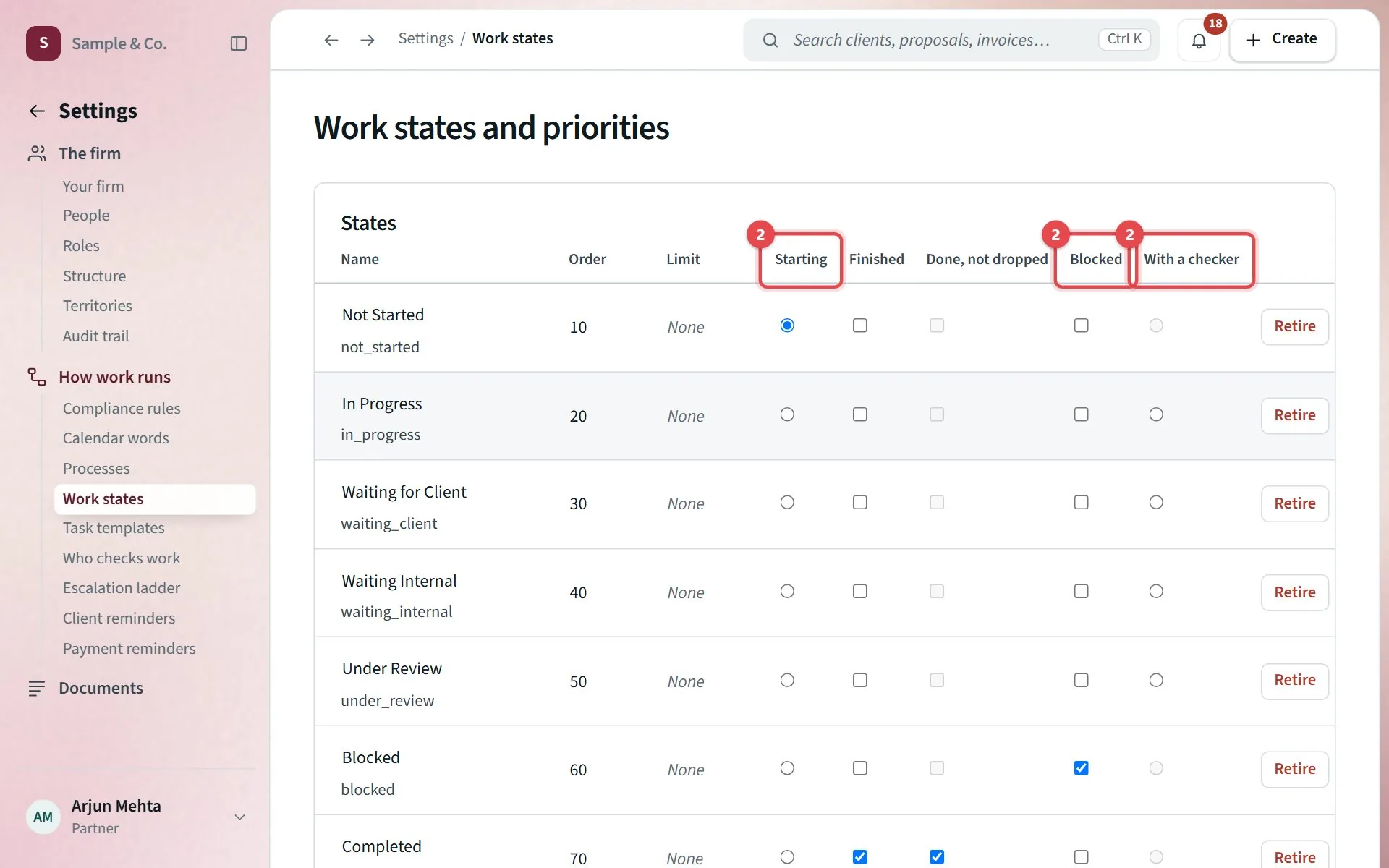 The States table. The ticks in each row say what the state means.
-
A state you no longer use: click Retire. Bring back undoes it. States are never deleted.
-
To add a state, fill in Name, Code (for example with_auditor), Order and the ticks under
Add a state, then click Add.
-
Under Priorities, each has a Rank (1 is the most urgent). Tick Default on the one new tasks
get, and Statutory on the one tasks with a legal deadline get.
-
Under Labels, add labels your team can put on tasks, for example Notice reply.
With a checker. If no state has this tick, a task sent for review stays in its lane and shows In review on its card. Once a state has the tick, you can move it to another state, but this screen cannot clear it.
Limit is a warning, not a stop. A Limit of 5 puts max 5 on the lane. A sixth task still goes in; the lane just turns amber.
| You see | Do this |
|---|---|
| "This would leave the firm with no starting state…" | Tick Starting on another state first. |
| "This would leave the firm with no default priority…" | Tick Default on another priority first. |
| "A limit of … is not a whole number from 1 to 10,000. Leave it empty for no limit." | Type a whole number, or clear the box. |