Let a contact read but not reply
Who can do it: Partner
Where: Settings › The firm › People , tab Clients
Every invite starts as Client contact: they can read, answer what you ask, and ask you for things. Client contact (read only) can read everything you share, but cannot answer or ask.
-
Open Settings › The firm › People and click the tab Clients.
-
On the person's row, open the role list and choose Client contact (read only). Choose Client contact to undo it.
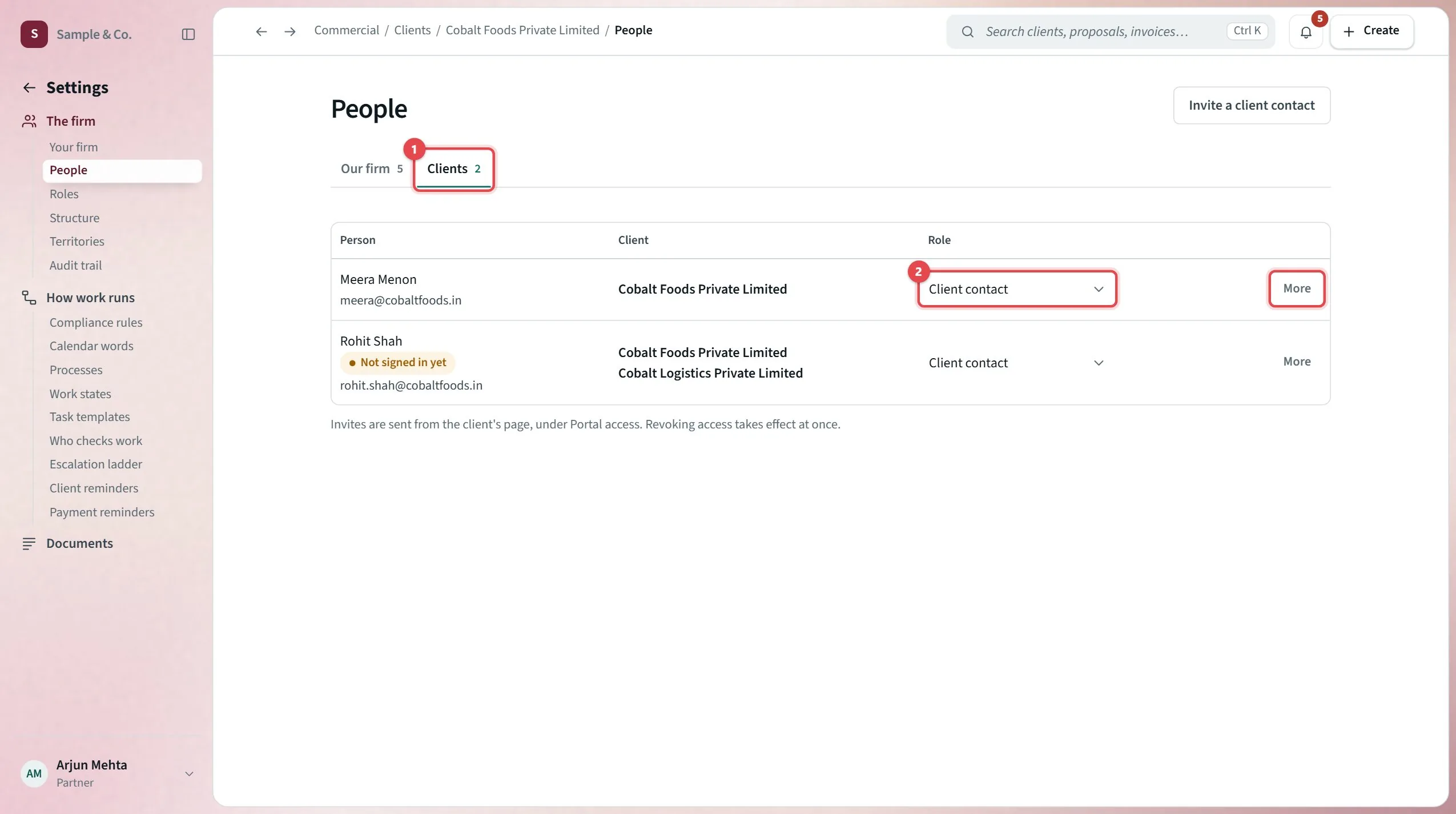 Client logins: which company each one sees, and its role.
BiB saves straight away: "Saved. … role is changed." A read-only contact sees "Your login can read these but cannot reply. Ask the firm for access." where the buttons would be.
This tab is the quickest check of every client login. The Client column lists the companies each person sees (click one to open its Portal access), and Not signed in yet shows who never chose a password.