Choose the Key Manager and SPOCs
Who can do it: Partner, manager or associate
Where: Commercial › Clients , then the client, then Account team
Before you start: Each colleague's department (Dept) is set on Settings › The firm › People .
The Key Manager owns the client relationship: one per client. A SPOC receives one department's work for the client and hands it out: one or more per Dept. When a letter is signed, each service's work goes to the SPOC of its Dept.
-
Open the client and click Account team.
-
Choose the Role: Key Manager or SPOC.
-
For a SPOC, choose the Dept / team.
-
Under Who, choose the colleague. The list shows the people in that Dept, and the partners.
-
Check From, the first day of the role.
-
Click Assign.
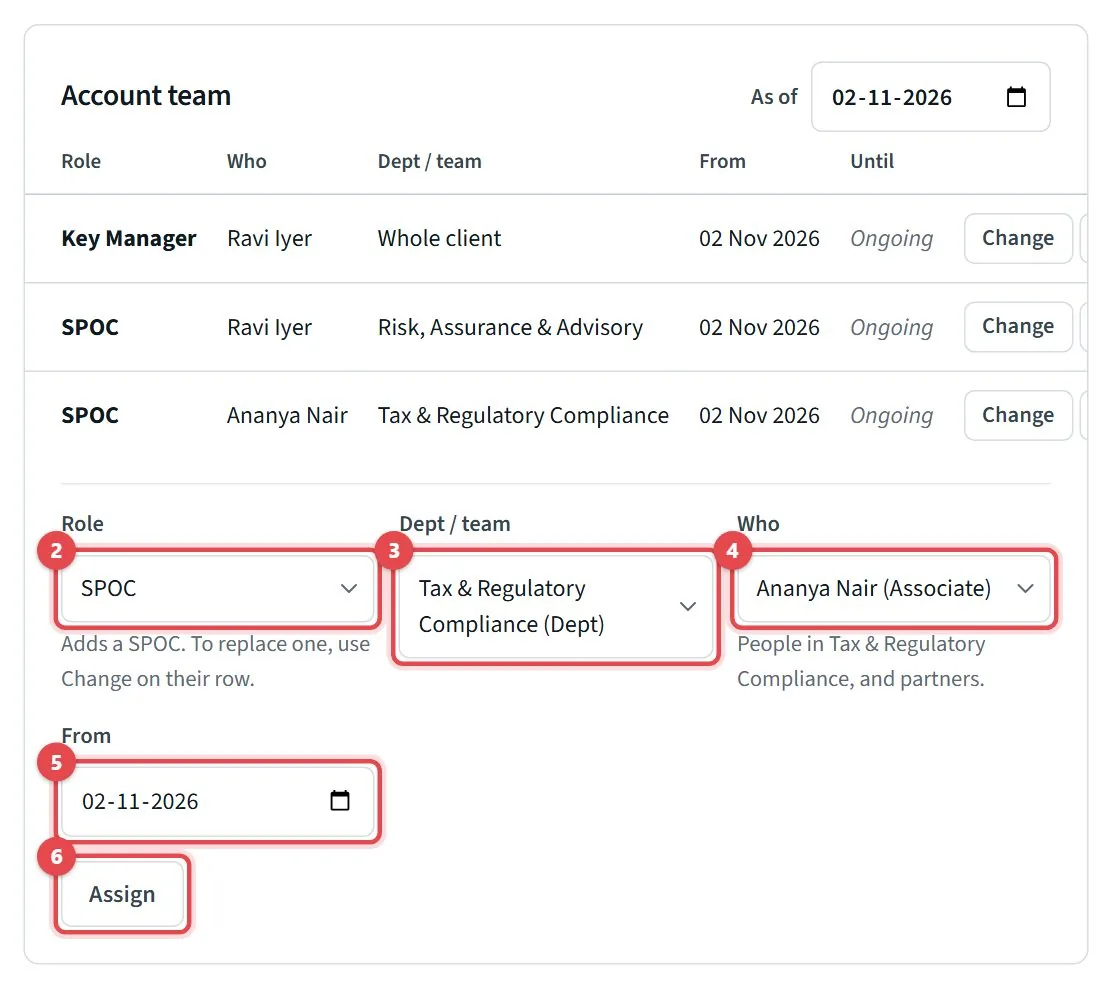 Choosing a SPOC for Tax & Regulatory Compliance. The rows above are who looks after Nilgiri now.
Repeat for each Dept the client buys from. The table shows who looks after the client now.
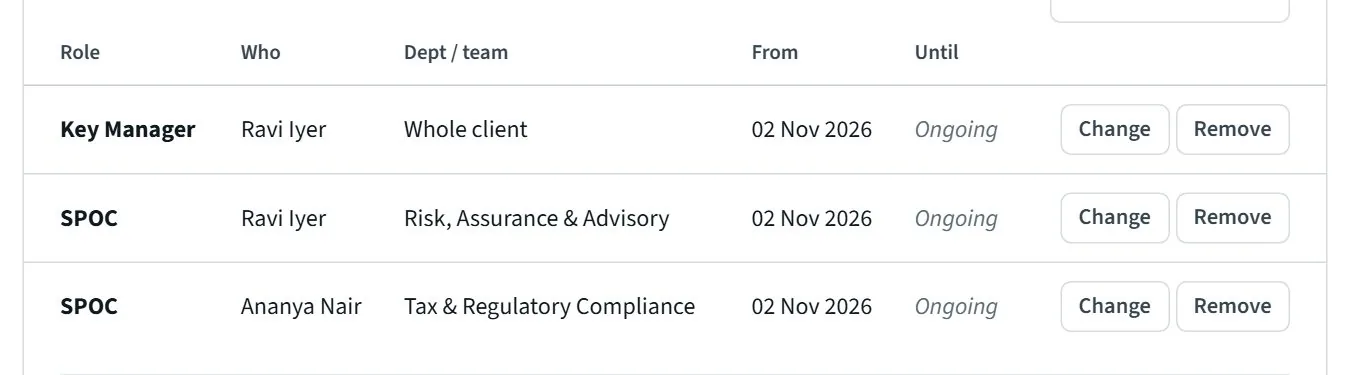 Nilgiri's account team: Ravi Iyer is Key Manager and SPOC for audit; Ananya Nair is SPOC for tax.
To change people later, use the buttons on each row:
- Change: hand the role to someone else from a date. Choose Who should it be and From, then click Change it.
- End: the role stops. Give the Stops from date and click End it.
- Remove: only for a row that starts today or later, typed by mistake.
No SPOC means signed work has nobody to go to. Example: Harbour has no SPOC. If a letter for Harbour is signed, its work has no SPOC to land with, and the letter preview warns "Some of this work has no SPOC". Add the SPOCs before you send a letter.
Assigning a new Key Manager is a handover. The current Key Manager's role ends on the new one's From date. You do not need to end it yourself.
| You see | Do this |
|---|---|
| "Nobody works in … yet. Set departments on People." | Set the colleague's Dept on Settings › The firm › People first. |
| "Nobody is covering this client" | Assign a Key Manager. |
| "SPOC outside their department" or the label Not in this Dept | The SPOC has moved Dept. Use Change to give the role to someone in that Dept. |
| The label Left the firm | That colleague has gone. Use Change to hand the role over. |