Record that the law changed
Use this only when the law itself changes from a date. If the date was simply wrong, edit the formula instead.
Who can do it: Partner
Where: Settings › How work runs › Compliance rules , Edit on the rule
-
At the bottom of the rule, next to "Has the law itself changed from a date?", click The law changed.
-
In First period that uses the new rule, give the START of the first period under the new law, for example 01 Apr 2027 for April's return.
-
Leave New rule pack as BiB fills it, unless it shows an error.
-
Give the new date in Counted as, Day of the month and Months after the period ends.
-
Compare the Was: and Now: lines.
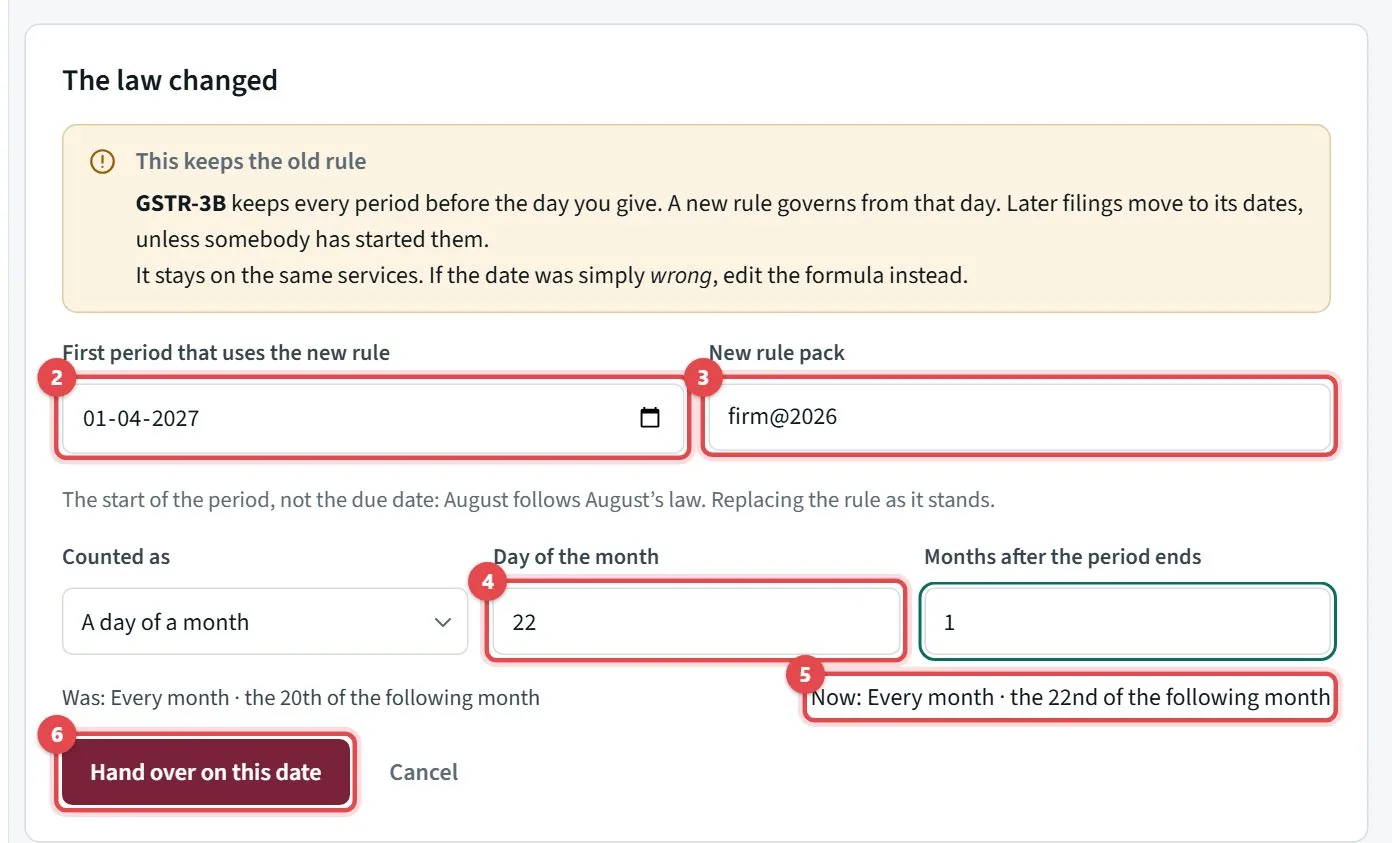 The law changed: older periods keep the old date, newer ones follow the new.
- Click Hand over on this date. BiB says "Handed over."
The new rule stays on the same services and keeps the same Start early.
| You see | Do this |
|---|---|
| "The new rule needs a pack of its own. This is the pack it replaces." | Type a different pack name, for example firm@2027. |